1
Chapter 4. Application Functions
If a threat is detected in an installed application, it cannot be
moved to quarantine. In this case the Move to quarantine
action is missing in the list of actions.
Ignore – the threat is temporarily ignored and no action is
applied to it.
Update
Dr.Web for Android Light uses Dr.Web virus databases to detect
threats. These databases contain details and signatures for all viruses
and malicious programs for mobile devices known at the moment of the
application release. However modern computer viruses are
characterized by the evolvement and modification; also new viruses
sometimes emerge. Therefore, to mitigate the risk of infection, Doctor
Web provides you with periodical updates to virus databases via
Internet.
On the main screen of the program the date of the last update is
displayed on the section Update.
Update
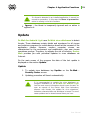
1. To update virus databases tap Update on the Dr.Web Security Center screen.
2. Updating procedure will launch automatically.
It is recommended to update the virus databases on
program installation to let Dr.Web for Android Light
use the most recent information about known threats. As
soon as experts of the Doctor Web Virus Laboratory
discover new threats, the update for virus signatures,
behaviour characteristics and attributes is issued. In some
cases updates can be issued several times per hour.
User Manual
21