1
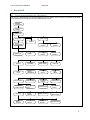
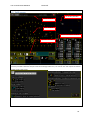
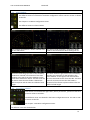
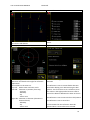
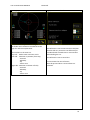
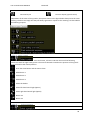
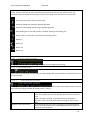
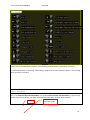
User manual BeverWIN2010 BeverDrill 1 BeverDrill 1.1 General information for the menus The menus in BeverDrill are connected together as shown below. From a menu it’s possible to get back to the previous one except for the ones marked with arrows. Reading
system files
Testing CAN
modules
Main menu
Start screen
Drill screen
Swap to
Boom
configuration
Operations
Show rig
position
Drill bit
Carriage
position
Default
position
Rod
handling
Service
Language
Show events
How to do
Print
to file
Drilling
parameters
Logging
control
Auto
drilling
Boom motion
Rod handling
Drill depth
control
Target plates
Boom axis
position limits
Boom geometry
model
Carriage
position control
Rod insert
control
Display options
Show system
data changes
Sensors
Test of
network
Boom
sensors
Drill machine
sensors
Drill rig
sensors
Operator panel
5