1
Brian Documentation, Release 1.2.1
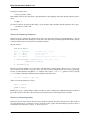
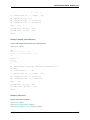
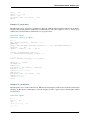
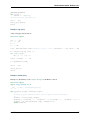
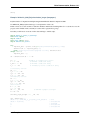
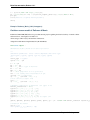
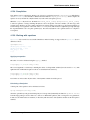
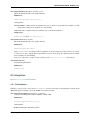
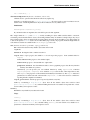
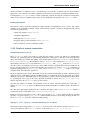
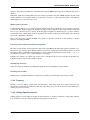
p.a = 1
print p.c
The first print statement will give 11, the second gives 7.
Details:
Call as:
p = Parameters(...)
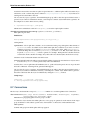
Where the ... consists of a list of keyword / value pairs (like a dict). Keywords must not start with the
underscore _ character. Any keyword that starts with computed_ should be a string of valid Python statements that compute new values based on the given ones. Whenever a non-computed value is changed, the
computed parameters are recomputed, in alphabetical order of their keyword names (so computed_a is computed before computed_b for example). Non-computed values can be accessed and set via p.x, p.x=1 for
example, whereas computed values can only be accessed and not set. New parameters can be added after the
Parameters object is created, including new computed_* parameters. You can ‘derive’ a new parameters
object from a given one as follows:
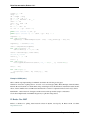
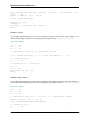
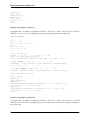
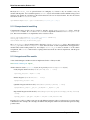
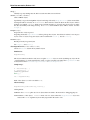
p1 = Parameters(x=1)
p2 = Parameters(y=2,**p1)
print p2.x
Note that changing the value of x in p2 will not change the value of x in p1 (this is a copy operation).
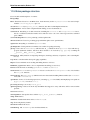
6.6 Precalculated tables
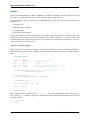
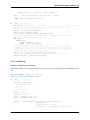
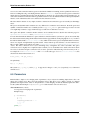
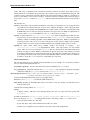
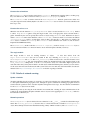
One way to speed up simulations is to use precalculated tables for complicated functions. The Tabulate class
defines a table of values of the given function at regularly sampled points. The TabulateInterp class defines a
table with linear interpolation, which is much more precise. Both work with scalar and vector arguments.
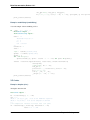
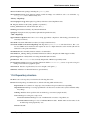
class Tabulate(f, xmin, xmax, n)
An object to tabulate a numerical function.
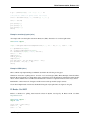
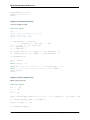
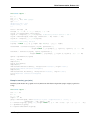
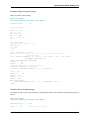
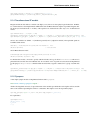
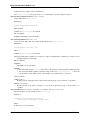
Sample use:
g=Tabulate(f,0.,1.,1000)
y=g(.5)
v=g([.1,.3])
v=g(array([.1,.3]))
Arguments of g must lie in [xmin,xmax). An IndexError is raised is arguments are above xmax, but not always
when they are below xmin (it can give weird results).
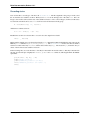
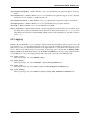
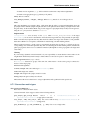
class TabulateInterp(f, xmin, xmax, n)
An object to tabulate a numerical function with linear interpolation.
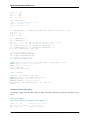
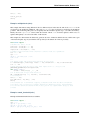
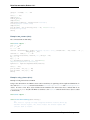
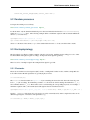
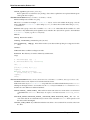
Sample use:
g=TabulateInterp(f,0.,1.,1000)
y=g(.5)
v=g([.1,.3])
v=g(array([.1,.3]))
6.6. Precalculated tables
137