1
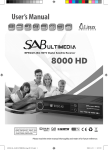
1. Getting Start 1.1 Package Contents Make sure that the following accessories are supplied with your receiver. Remote Control Unit AAA Batteries (2 EA) User’s manual 1.2 Front Panel Menu Normal Mode Change to the next channel. Menu Mode Move to the upper item. Normal Mode Change to the previous channel. Menu Mode Move to the lower item. Normal Mode Volume up. Change item Change item. Normal Mode Volume down. Change item Change item. Normal Mode Display the Main Menu. Menu Mode Go to the sub menu. Displays the current state such as channel, time, and massage. Display window POWER Exit Return from menu. Smartcard Slot Insert a Smartcard. Turn on & off the power. 5