1
The gemfire Command
Chapter 6
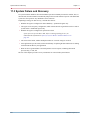
What GemFire Restores
The restore copies these back to their original location:
1.
Disk store files for all stores containing persistent region data
2.
Any files or directories you have configured to be backed up in the cache.xml <backup> elements.
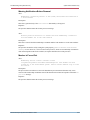
Offline File Backup and Restore
With the system offline, you copy and restore your files using your file system commands.
Backup
To back up your offline system:
1.
Consider compacting your disk stores before backing them up. See Validating a Disk Store on
page 111 and Compacting Disk Store Log Files on page 112.
2.
Copy all disk store files—and any other files you want to save—to your backup locations.
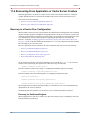
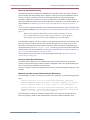
Restore
To restore a backup of an offline system:
118
1.
Make sure the system is either down or not using the directories you will use for the restored files.
2.
Reverse your backup file copy procedure, copying all the backed up files into the directories you
want to use.
3.
Make sure your members are configured to use the directories where you put the files.
4.
Start the system members.
GemStone Systems, Inc.