1
used for this solution without adding extra hardware
and complexity for the design.
Therefore, this short paper work use a well known low
cost Arduino UNO board [8] along with relevant
components to implement the authentication platform.
This assumes that a mobile app would be installed in
the mobile smart device which would be able to
communicate the device identity over Bluetooth
protocol to the authentication platform. The
authentication platform would then conduct the
verification process and indicate the result
appropriately.
The rest of the paper is organized as follows. Section II
describes the possible vulnerabilities and remedies.
Section III is the design methodology, Section IV is the
implementation strategy, Section V is the test results
and discussions. Finally, section VI provides the
conclusion.
that is loaded for identity verification can well be used
to disable certain features of the smart phone, like
camera, message, calls, etc. To ensure that the app is
live for the duration of the stay, the app can be
programmed to send heart-beat signals to the
verification device. This idea is very novel in the sense
that without depositing the costly smart personal
device with the organization authority, essential
security can be enforced at the same time eliminating
users' worries of misplacement of the personal device.
5. Not carrying the identity instrument: It is highly
unlikely that person would step out without his mobile
phone nowadays. This reduces the chance of showing
up at the access control point without valid identity
provided the entire access control is invoked through
the mobile phone app.
III. Design Methodology
II. Vulnerabilities and Remedies
The proposed system demands low energy
requirement, is affordable, reliable and portable. Thus,
it is ideal for wide range of applications. It can be used
in libraries for specific customers or for selective
access, in corporate branches as an alternative for
cards, for military access or restricted areas where
entry/access-permit is a must.
The proposed system enables authentication of a
personal device by another device in a contact-less
manner. This system would be useful for implementing
access control. In this case, the personal device would
typically be the smart phone of the person who wants
to get access and the other device which verifies the
identity would be owned by the organization that is
enforcing the access control.
The following list provides the vulnerabilities and
suitable remedies:
1. Theft of the personal device: The identity is
transmitted from the mobile phone using a mobile
application. This application is password protected. In
the event the mobile phone is stolen, the mobile
application that transmits the identity cannot be
invoked. Most of the smart phones have feature of
password so the phone itself would not be usable
without the phone password. This adds 2 layers of
security at the personal device level.
2. Man-in-the-middle Attack: The mobile application
and the other device that verifies the identity would
incorporate strong encryption techniques to obviate any
man-in-the-middle attack.
3. Peering over the shoulder: As the smart phone
never leaves the possession of the person seeking
access, any PIN he provides would not be easy for
someone else to view and know.
4. Limiting features of mobile: To preserve security
of a protected area many times organizations need to
disallow usage of smart phones within the area.
However, with the above mechanism the mobile app
The design methodology is divided into two units:
The Arduino Unit: The heart of the authentication
platform uses Arduino UNO as the microcontroller
which orchestrates the process of reading the input
transmitted by the smart mobile device, comparing the
information with the database, and sending output to
the LEDs and LCD panels for human interfacing. It
also sends the result to the mobile app running on the
smart mobile device.
The Mobile App: The mobile app reads the device
identity (like lMEI number of mobile phone), converts
that into a string and communicates the same to the
authentication platform. For security reasons the
mobile app is password protected. For this
experiment an Android mobile phone has been used as
the smart mobile device.
IV. Design Implementation
The following are the required components for
implementing the project:
l.
Arduino (UNO) board
2. Bread board
3. Bluetooth module compatible with Arduino
(linvor-lY-MCU)
4. LCD Display
5. LEDs
6. Power supply (5 V, 0.5 A)
7. Application in the mobile phone for serial
Bluetooth communication
8. Connecting wires
Arduino Unit:
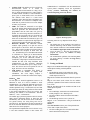
To create the hub, an Arduino UNO board is used (Fig.
1) connecting to a bread board. Two LEDs, red and
green, are used as feedback signals after checking for
authentication. A Bluetooth module (linvor [9]) is used
which serves as the signal receiver at the hub end. The
functions of the different components are discussed
below.