1
15.
Trouble
Shooting
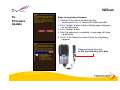
h. How to clear up the problem of firmware’s upgrading incomplete?
@ This is resulted from the insufficient power. Please charge the battery with AC
adapter and restart the Tester again, if it still cannot be booted, push F1+F4 to
restart once more. If it doesn’t work still, please contact the dealer to send the
Tester back to the manufactory.
NOTICE:
To our strong suggestion, please charge the Tester with AC adapter all the time
during the upgrading procedure.
56