1
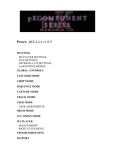
Track Selection buttons and Display in Capture Mode.
The lower right hand side of the Display
shows the current Note range.
Track State – Displays a visual metronome.
Resolution – Selects the Note Repeat Rate when Repeat is on.
Stop – Performs the Clip Play Toggle function.
Repeat – Toggle (if pressed quickly) or momentarily (if held down) activate Note Repeat.
Accent
Accent – Toggle (if pressed quickly) or momentarily (if held down) activate Full Velocity for the Capture Pads.
Octave Down/Up – Scrolls the captured Notes/Chords down/up by 1 Octave or 1 Semitone if the Shift button is held
down.
Select – Holding down the Delete button and pressing the Select button will delete the Clip. Holding down the
Quantize button and pressing the Select button will quantize the Clip.
5.4 Chord Mode
Chord Mode allows you to easily play 16 different Chord Types (with support for all of their associated Inversions) from the
Matrix. This Mode does not use the Mute or Solo buttons. These buttons will be dark when this Mode is selected.
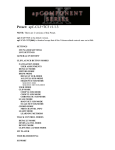
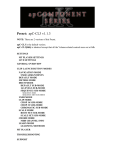
Matrix default assignments.
Matrix when Split Mode is on.
Matrix – The Matrix is split up into several sections that perform different tasks.
-
The Chord Pads (lowest 3 rows of Pads) provide two Octaves of chromatic Pads that play Chords. Each Note in
the Chord is sent on a different MIDI channel; lowest/first Note sent on MIDI Channel 3 – highest/last Note sent on
MIDI Channel 8. This allows you to use the Chord Pads to play individual instruments or multiple instruments
(each routed from a different MIDI channel) simultaneously.
-
The Inversion Pads (5th row of Pads) allow you to switch between Chord Inversions.
-
By default, the upper 2 rows of Pads are laid out as a one octave keyboard that displays the Notes played from the
Chord Pads. When Split Mode is on, the upper 4 rows of Pads are laid out as a playable, two octave keyboard.
PXT-Live Plus User Manual
8