1
1. Introduction:
MPEGIO SDK (Software Development Kit) is for rapidly developing application software using MPEGIO
hardware MPEG1/2/4 encoder/decoder card. MPEGIO SDK shields the software developers from coding
complicated hardware interfacing and DirectShow/DirectX functions, by supplying highly integrated and
extremely easy to use C-styled function calls. Using MPEGIO SDK, even entry-level software developers or
students can quickly write application software to control one or more MPEGIO cards on the same PC to capture,
play, transcode and stream high-quality MPEG video for various applications, using C++, VB, Delphi, Java or
any other programming languages that can call external DLL library functions. Programmers familiar with
Microsoft DirectShow SDK can also use their own DirectShow filter connected graphs to preview MPEGIO
video while simultaneously calling MPEGIO SDK functions to encode, record and stream MPEG video.
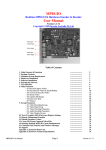
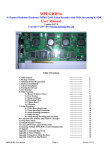
For details on the MPEGIO PCI card, please refer to the “MPEGIO User Manual”, here is a summary of the
PCI card’s main features:
Realtime capture superior-quality video & audio as MPEG1, MPEG2 or MPEG4 video files
Playback superior-quality video to TV/VCR through on-board video & audio output sockets
Realtime transcode (convert) MPEG files to different parameters(bitrate, frame sizes, etc)
Realtime Stream hardware encoded/decoded MPEG video to any TCP/IP network address
Video Streaming Can Be Started in Video Encoding, Decoding or Transcoding Mode
Wide-Range Capture Data Rates 50Kbps~15Mbps for MPEG1, MPEG2 & MPEG4 formats
1~10 Cards can simultaneously run on the same PC for concurrent encode/decode/transcode
Allow Multiple Aspect Ratio Encoding: 4:3, 16:9(Wide-Screen), and Square PEL
Forever Video & Audio Sync during video preview, capture, playback and in the video files
Realtime split captured video into multiple files at different size/ time,
Instantly Start Video Capture at User’s Request (Button press) without lengthy delays
Start Video Capture as Video Signal Appears
Stops Video Capture after Video Signal Disappears for a period of user-defined time
Allow Pause and Resume during encoding without closing the current recording MPEG file
Arbitrary User Data can be realtime inserted into the currently encoded/streamed MPEG video
Capture still images
Capture DVD or arbitrary MPEG2, MPEG4 or MPEG1 video files
Capture and Stream MPEG2 and MPEG4 video in either Program Stream or Transport Stream Format
Captured DVD files can be used to burn DVD movie disk without re-compression
Realtime overlay multiple text lines and graphics on MPEG videos being decoded or transcoded
Realtime output text/graphics overlaid video directly to external TV
Realtime preview incoming video and audio with video in sync with incoming signal
Realtime preview incoming video and audio with video & audio perfectly synchronized
PAL and NTSC video format supported
SVideo and Composite Video Input and Output
Stereo Audio Input and Output
Hardware-encoding chipset built-in, low system resources required
Support live colour change on incoming video
2. MPEGIO.DLL & MPEGIO SDK
The MPEGIO SDK is based on a dynamic linking library MPEGIO.DLL, which supports all the MPEGIO
SDK function calls the application software might use. MPEGIO.DLL will need to be installed on the target PC
running your application software.
The MPEGIO.DLL system has several main operation modes, including Preview, Encode(Record),
Decode(Playback), Transmit, Transcode, etc. When first time started, the DLL is normally in “Preview” mode,
which simply displays the incoming video, if any, on the Video Window. From thereafter, the application
software is free to set the operation into other modes.
The Video Window is where MPEGIO.DLL displays the video contents all the time. The Video Window can
be setup by your application software as any window’s child window, to be freely manipulated by your
application software, such as maximizing, hiding, text overlay, etc.
MPEGIO SDK User Manual
Page 2
Ver. 1.0.8.6