1
Getting
Started
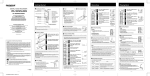
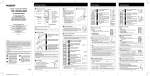
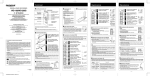
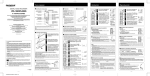
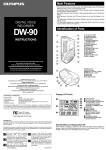
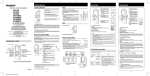
• Identification of Parts
Earphone jack
Recording/playing lamp
Microphone jack
Built-in Microphone*
REC (Record) button
Display (LCD panel)
STOP button
PLAY button
FF (Fast Forward) button
REW (Rewind) button
VOL (+) button
FOLDER/MENU button
ERASE button
INDEX button
Built-in speaker
VOL (-) button
"The microphone built in the
WS100 is located only on one
side, and the sound will be
recorded with mono.
USB terminal
Battery cover
Battery compartment)
• The battery compartment can be detached from the main unit.
• The main unit can be connected to a PC USB port or a USB hub.
Note
Under no circumstances insert any other parts than the main unit into the battery compartment. This may
result in battery leakage, overheating, fire or explosion.
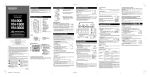
• Inserting a Battery
Lightly press down on the
arrow and slide the battery
cover open.
Insert size-AAA alkaline battery,
observing the correct polarity.
Close the battery cover completely
by pressing to the direction A,
then sliding to the direction B.
Time/Date screen appears. The hour
indicator flashes, indicating the start of the
Time/Date setup process. (See "Setting
Time/Date (TIME)" for details)
An optional Ni-MH Rechargeable battery (BR401) from Olympus can be used for the recorder.
•
Power Supply
Power on...Turn the P O W E R switch O N .
POWER switch
If the POWER switch on the backside of this recorder is
turned OFF, it is not possible to use any of the functions.
Turn the POWER switch ON before operation.
Power off...Turn the P O W E R switch OFF.
Standby Mode and Display Shut Off
If the recorder is stopped for 5 minutes or longer during recording or playing, it goes into
Standby (power-save) mode, and the display shuts off. To exit Standby mode and turn on
the display, press any button.
- 2 -