1
Playing
Back
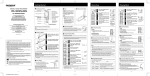
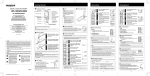
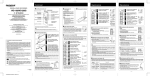
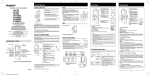
Press the FOLDER button to
choose folder.
Press the FF or REW button
to choose the file that you
want to play.
Press the PLAY button to
start playback.
The recording/playing lamp turns green, and the
elapsed playing time is indicated on the display.
Press the VOL (+) or VOL (-)
button to select the proper
sound volume.
The display shows the volume level. You
can choose between 0 to 30.
• Canceling Playback
To Stop
Press the STOP button.
t» The recorder stops in the middle of the file being played.
To Resume Playback
Press the PLAY button again.
*» Playback will resume at the point of interruption.
• Forwarding and Rewinding
Fast Forward
Press and hold the FF button while playing a file.
*• When you release the FF button, the recorder will
normal playback.
Rewind
Press and hold the REW button while playing a file.
**• When you release the REW button, the recorder will resume
normal playback.
• The recorder stops when it reaches the end of the file. Continue pressing the FF button to proceed with the
cue from the beginning of the next file.
• The recorder stops when it reaches the beginning of the file. Continue pressing the REW button to proceed
with the review from the end of the previous file.
• When the index mark is shown in the middle of a file, it will stop temporarily in the position of the index mark.
• Locating the Beginning of the File
While the recorder is playing back, pressing the FF or REW button forwards or rewinds to
the beginning of the previous or next file respectively. If an index mark is encountered
midway, playback begins at that point. (See "Index Marks" for details)
• Listening with Earphones
You can listen to files by connecting earphones to the earphone jack.
If an earphone is connected, the speaker doesn't emit sound.
When connecting stereo earphones, the playback will be in stereo. (Only
when playing back stereo files.)
• To avoid irritation to the ear, insert the earphone after turn down the volume level.
• When you listen with the earphone during playback, do not raise the volume too
much. It may cause hearing impairment and decrease in hearing ability.
- 5 -