1
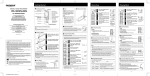
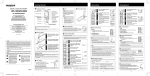
How to Use the Strap
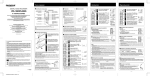
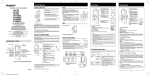
• Hold
Setting the HOLD switch to the HOLD
position.
All operation buttons are disabled. This
feature is useful when the recorder has
to be carried in a handbag or pocket.
Remember to reset the HOLD switch
when using the recorder.
Notes
• The recorder functions as follows with
the HOLD switch set to the HOLD
position:
- If the recorder is playing, the display
goes dark when playback of the
current file has completed.
- I f the recorder is recording, the
display goes dark when the recorder
stops recording automatically upon
running out of free memory.
Strap hole
• Notes on the Folders
The recorder provides five folders, A, B, C, D and E.
To change the folder selection, press the FOLDER button while the
recorder is stopped. Each recorded file is stored in a folder. Using folders
to classify files makes it convenient to find files you want to access
later. Up to 199 messages can be recorded per folder.
• Setting Time/Date (TIME)
If you have set the time and date, information as to when a sound file was recorded is
stored automatically with that file.
When using the recorder for the first time, or after the battery has been taken out for a
log period of time, the hour indication will flash. In such a case, be sure to set the time
and date by following steps 4 through 7 described below.
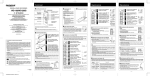
Press and hold the MENU
button for 1 second or longer.
Press the FF or REW button
until "TIME" flashes on the
display.
Press the PLAY button.
The hour indicator flashes.
Press the FF or REW button
to set the hour.
Press the PLAY button to
select the minute.
The minute indicator flashes.
Press the FF or REW button to
set the minute.
Repeat steps 5 and 6 to continue to set
the year, month and date in the same way.
After setting the date, press
the PLAY button.
This completes the time/date setup
procedure.
[1
- 3 -
3