1
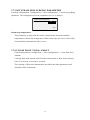
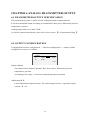
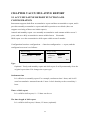
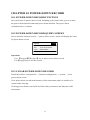
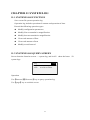
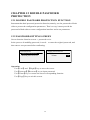
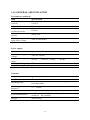
1.5.1 DIGITAL DISPLAY SCREEN OPERATION
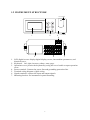
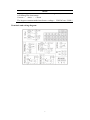
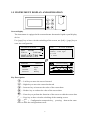
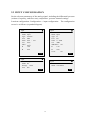
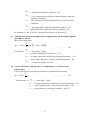
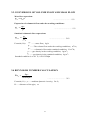
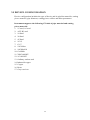
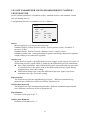
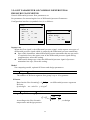
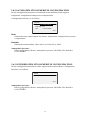
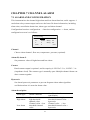
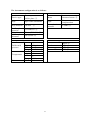
Start-up screen, use [page] key to have circular switching to this screen
Alarm sign Switching value
Display sign
2012-06-01 09:05:09
2012-06-01 09:05:09
t/h H
Flow 10.00
230.0 ℃ H
2.000 MPa L
GJ/h
Heat 60.00
230.0 ℃
2.000 MPa
003456789
003456789
t
.122
Flow real-time value
GJ
.122
Heat real-time data
Real-time data
Simultaneously display flow, temperature, pressure, the total amount of the flow as
well as heat, temperature, pressure, and the total amount of heat (when heat
function is started).
The maximum of total amount is 999,999,999. It will be displayed as fixed three
decimal, and it will return to zero after overflow.
The maximum of flow is 500000, and display accuracy is determined according to
decimal numbers of the range.
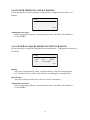
Alarm sign
When the alarm channel exists, HL alarm sign is displayed after the channel name.
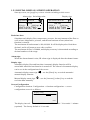
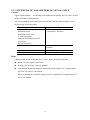
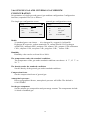
Display sign
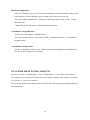
Automatic display flow and heat data. Automatic display function will be
unavailable when the heat function is turned off. The interval of automatic display
can be set in the configuration of the screen.
Automatic display status sign
manual display function.
Manual display status sign
real-time data manually.
,use the [Enter] key to switch automatic \
,use the [increase] [reduce] key to read the
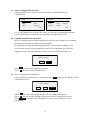
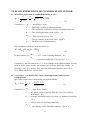
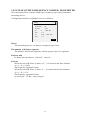
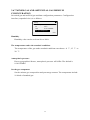
Screen Configuration
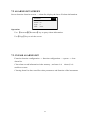
Configuration location: Configuration -> function configuration -> screen
configuration screen is as follows:
Display config
Interval
20s
Exit
The display interval: 5 seconds / 10 seconds / 20 seconds / 30 seconds / 1 minute
(optional) . The factory default is 10 seconds.
9