1
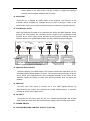
8. BANK button (↑or↓)
Press UP or DOWN to scroll trough the different banks, the third and fourth digit of the
display shows which bank is currently activated.
9. CHASE 1-CHASE 6
Select the desired chase to activate a program (built from scenes in a continuous
loop), or edit the contents of the chase by selecting scenes you want to combine in a
chase..
10. PROGRAM
When the controller is in the manual mode, press PROGRAM for 2 seconds. You will
see that the corresponding LED blinks. In program mode, it is possible to adjust
scenes and chases. Press PROGRAM once more to return back to the manual mode,
the corresponding LED turns off.
11. MIDI/ADD
a、 Press the MIDI button when the controller is activated. The third and fourth digit
of the display will flash. Select the MIDI channel using the UP and DOWN
buttons, press the MIDI button once more or any other key excluding UP or
DOWN to end the MIDI channel settings.
b、 Press this key to make scenes or chases when in PROGRAM mode.
12. AUTO/DEL
a、 When in the RUN mode, press Auto/Del to activate the automatic chase run
sequence. The corresponding LED will turn on. Press the button once more to
exit the automatic mode, the corresponding LED will turn off.
b、 Press this button to delete scenes and chases when in PROGRAM mode.
13. MUSIC/BANK COPY
a、 When in the RUN mode, press this button to activate the MUSIC mode. The
corresponding LED will turn on. Press the button once more to exit the MUSIC
mode, the corresponding LED will turn off.
b、 Press this key to copy banks when in PROGRAM mode.
14. TAP SYNC/DISPLAY
a、 When in AUTO RUN mode, use the TAP SYNC function to determine the
amount of time between two steps. This way it is possible to tap the button on
the beat of the music, for music-synchronised shows. The maximum amount
of time between two steps is 10 minutes.
b、 When in PROGRAM mode, use the button to switch between Step and Bank
5