1
3. TROUBLESHOOTING QUESTIONS
3.1 Basic HW & mechanical issues
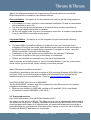
How do I change the SIM card or battery ?
You must open the battery compartment with a flat-headed screwdriver (or coin) and you
will find both the SIM card and battery in there. The battery needs to be removed before the
SIM card can be inserted or taken out. This is explained in detail in the “Installing SIM card
and battery” in the “Operations” section in the User manual. URL Link: please refer to
http://satcom.neraworld.com , select product and downloads.
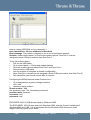
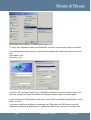
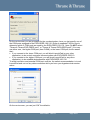
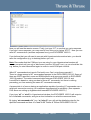
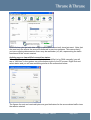
For convenience, a picture from the user manual has been included below:
Can I use a standard RS 232 instead the interconnection cable between the IDU and the
ODU?
No, this is highly discouraged. Normal RS232 cables do not have any IP grading and may
have incorrect electrical characteristics, which potentially could damage the terminal.
Thrane & Thrane provide IDU-ODU cables in 3 lengths of IP graded; 3m (Part No 107425),
10m (Part No 106495) and 20m (Part No 107450)
Note: The warranty will be void if damage is caused to the EXPLORER 100/110 product
by using it with unofficial equipment.
3.2 Basic SW & functional issues
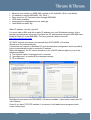
How do I perform a Software Upgrade on the EXPLORER 100 ?
Having done it once, this is a very straight-forward process. Thrane & Thrane have made a
diagram which explains the process step by step. Please refer to please refer to
http://www.trane.nera.com , select product and downloads, the software. But you will also
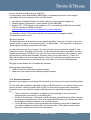
find it in the manual and the SW release notes. It is also reproduced below for
convenience.
FAQ
®
EXPLORER 100/110
Page 21/67