1
Temperature Settings
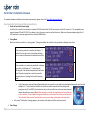
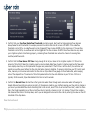
Users can adjust two temperature parameters, hottest month temperature and change per 5 degree temperature, which have a direct effect upon watering
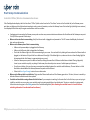
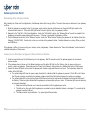
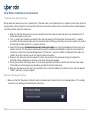
reduction times. The Hottest Month Temperature is an average of the high and low temperature for the hottest month of the year. Below is the simplified
version of the formula used to determine weather savings based on temperature. This formula can be used to quickly determine an estimate of the percent
reduction, but the exact number is calculated using a much more detailed formula.
[(
)
(
)] (
)
Below is a table illustrating how parameter changes will affect weather savings and run times. The default change per 5 deg. Temp parameter is set to 5.
Change in parameter
Increase Hottest Month Temp
Decrease Hottest Month Temp
Increase Change Per 5 Deg. Temp
Decrease Change Per 5 Deg. Temp
Effect Upon Weather Savings
Increased Weather Savings
Decreased Weather Savings
Increased Weather Savings
Decreased Weather Savings
Effect Upon Run Times
Shorter Run Times
Longer Run Times
Shorter Run Times
Longer Run Times
Humidity Settings
11 | C y b e r - R a i n X C I S m a r t I r r i g a t i o n C o n t r o l l e r T r o u b l e s h o o t i n g G u i d e