1
Cloud Application Operation
Zone Watering Run Times are Too Short or Too Long
Use the Cyber-Rain Software to Automatically Determine Watering Times
The Cyber-Rain Cloud Irrigation System is designed to adjust zone watering times depending on the local weather. Weather information is downloaded from the
internet periodically.
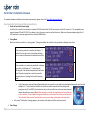
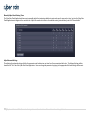
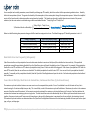
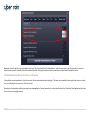
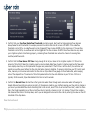
The Cyber-Rain Cloud Application can determine ideal watering times based on user defined presets. To set your recommended schedule, log onto the CyberRain Cloud Application and navigate to the zone tab (see picture below). For each zone, enter the following zone details: plant type, sprinkler type, sun
exposure, slope type, and soil type. Leave the “Maximum Cycle (minutes)” and “Soak Time (minutes)” fields blank. Click the “Adjust My Schedule Based on
These” button, and the Cyber-Rain algorithm will determine your watering schedule. This schedule indicates the maximum watering times for the hottest/driest
day of the year. The Cyber-Rain system uses the weather conditions to determine the amount of time to water your zones—the watering time will be equal to
or less than the time listed on the watering schedule.
9|Cyber-Rain XCI Smart Irrigation Controller Troubleshooting Guide