1
Door/Window Sensor • Installation Guide
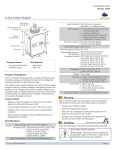
The two mounting
holes are exposed.
The Door/Window Sensor is a Transmit-only Device.
To link the Door/Window Sensor to a transceiver; the transceiver
must first be powered, within wireless range, and set to accepts
links.
Cover
Mounting Holes
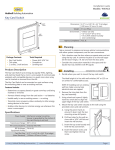
B. Position the magnet with the proper spacing and alignment, and then install it with the provided screws.
Next, the desired transmitter, or another transceiver, is triggered
to send a special link message. The awaiting transceiver receives
and stores the link permanently so the devices can interact to
provide a variety of intelligent control options.
Sensor Profiles
The sensor profile determines how the sensor is used within the
system, whether it is for occupancy detection, HVAC control, or
single load control. How the sensor interacts with other devices
depends on where it is installed and how it is linked. There are
three sensor profiles.
NOTE: These profiles are supported for linking with EnOcean
EISM (In-line Switch), EPSM (Plug-in Switch), and EHSM (HVAC
Setback) controllers. Consult the manual for the respective controllers to determine the capabilities of the solution.
Entry Door - for Occupancy Detection
C. Replace the magnet cover and snap it into place on the
tab lock.
Fixed Frame
For this profile, the sensor is installed on an entry door and
operates with a motion sensor as follows:
Door Opens
The door/window
ajar timer starts. If the
timer runs out, shutdown
mode is activated on the
HVAC system.
Moving Part
NOTE: For low activity applications, the magnet can be
mounted with double-sided tape (not included).
5. Check the alignment arrows and the distance between the
sensor and magnet when the door or window is closed.
TIP: There is a faintly audible click when the sensor and magnet close and open.
▪▪ Transmit-only: Transmitters are simple energy-harvesting
devices that send RF messages to communicate a condition,
level, or state. Transmitters can only be linked to transceivers.
Examples > Self-powered Light Switches, Occupancy Sensors
▪▪ Transmit & Receive: Transceivers are controlling devices
that send as well as receive RF messages. They also process
relevant control logic, and actuate the appropriate outputs
(switching a light on or off for example). Transceivers can be
linked with transmitters as well as other transceivers. A transceiver can have up to 30 devices linked to it.
Examples > Relays, Gateways
© 2015 EnOcean GmbH
The door/window ajar
timer is reset if all monitored
doors and windows are
closed. The vacancy check
timer starts, if the motion
sensor detects occupancy,
normal mode is activated on
the HVAC system.
Window or Patio Door for HVAC Control
For this profile, the sensor is installed on a window or patio door
and operates as follows:
Window Opens
The door/window
ajar timer starts. If the
timer runs out, shutdown
mode is activated on the
HVAC system.
Linking
Two or more EnOcean-based devices can be linked and configured to provide the desired control. There are two basic types of
devices in the system; transmitters and transceivers.
Door Closes
Window Closes
The door/window ajar
timer is reset if all monitored
doors and windows are
closed.
Normal mode is activated on
the HVAC system.
Closet Door for Single Load Control
For this profile, the sensor is installed on a closet door and operate as follows because it is the only linked device:
Door Opens
The switched auto-off
timer starts and the light
turns on. If the timer runs
out the light turns off.
Door Closes
The light turns off.
Page 3