1
Spectre Circuit Simulator User Guide
Identifying Problems and Troubleshooting
Singular Matrices
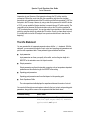
If you receive an error message that says a matrix is singular, your netlist contains either a
floating node which is causng the problem or a loop of zero resistance branches, for example,
a loop of voltage sources or inductors. The following procedures might help you find the
problem:
■
Check the options statement in your netlist to ensure that topcheck=yes in at least
one statement. The topology checker normally helps you identify singular matrix
problems, but it cannot do so if it is disabled.
■
If the error message appears only for particular components or circuit parameters or only
for particular voltages or currents, try one of the following procedures:
❑
Set gmin=1e-12 (the default value).
❑
If you are working with simplified semiconductor models, try using more complex
models.
A CMOS (complementary metal oxide semiconductor) inverter whose model parameters
have infinite output impedance in saturation demonstrates the usefulness of these
techniques. When either the N- or P-type device is in the ohmic region, the solution is
unique. However, when both devices are saturated, there is a range of output voltages
that all satisfy Kirchhoff’s Current Law. In this situation, the Newton-Raphson method
forms a linearized circuit that is singular for that iteration.
■
Check ideal transformers, N-ports, or transmission lines for floating nodes or loops of
zero-resistance branches and modify the circuit to eliminate them.
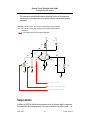
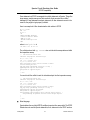
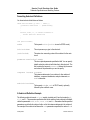
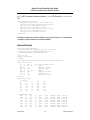
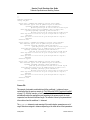
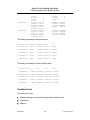
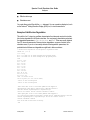
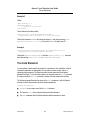
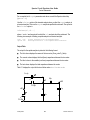
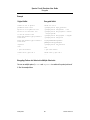
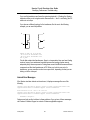
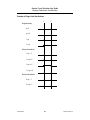
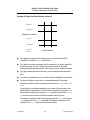
For example, consider this center-tapped transformer:
t1
t2
m1
m2
b1
b2
subckt ct_xfmr (t1 b1 t2 m2 b2)
Tt t1 m1 t2 m2 transformer n1=2
Tb m1 b1 m2 b2 transformer n1=2
end ct_xfmr
January 2004
276
Product Version 5.0