1
HACK
#40
Explore the Knoppix Installer
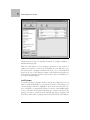
Save config
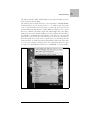
Saves the installation settings currently loaded (either from selecting
Configure Installation or Load config) to a file on the home directory or
any mountable storage device so you can load it later.
Quit
Exits the program without saving any settings.
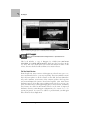
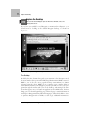
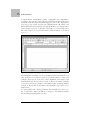
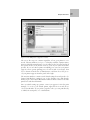
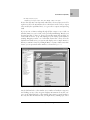
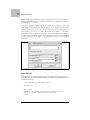
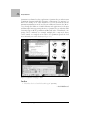
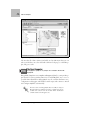
If you are ready to install Knoppix and are familiar with the configuration
options, or you have already configured the installer a previous time (if you
configure and then exit the installer, Knoppix remembers the settings that
you have chosen), skip right ahead and select Start Installation. If you are
new to installing Knoppix on your hard drive, you should probably select
Configure Installation so you can see what kind of questions the installer
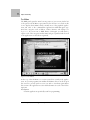
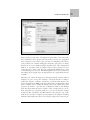
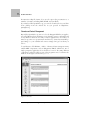
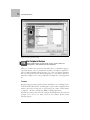
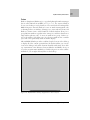
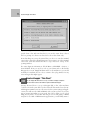
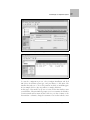
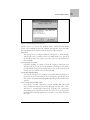
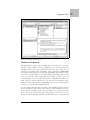
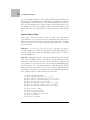
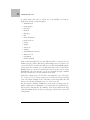
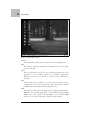
asks before you commit to an install. When you choose Configure Installation, you are presented with a window that asks you to choose from one of
the three types of systems:
Debian
This is the default method for installing Knoppix to a hard drive. This
choice offers a multiuser Debian install without any extra Knoppix
hardware-detection scripts. This means that the only cheat codes that
still work are those that are actually options passed to the kernel (such
as noapic, noscsi, etc.). Think of this as the beginner option without any
of the hardware-detection scripts. Experienced Knoppix users may recognize this as being the same installation method provided by the old
Knoppix installer scripts. Choose this option if you want to use Knoppix as an easy way to install a purer form of Debian.
Beginner
With this option, Knoppix sets up a multiuser Debian system, but also
leaves all of the Knoppix hardware-detection scripts behind. You can
still use most of the cheat codes at boot time and still have Knoppix run
some of its hardware-configuration scripts. This type of installation is a
blend of the best features of the other two system types. The downside
is that the hardware detection scripts can potentially overwrite any
hardware settings you might have made manually the next time the system reboots.
Knoppix
This choice basically creates a copy of the live disk on your hard drive
and allows you to boot from it. Just like the disk, this option installs
only a single-user system with disabled passwords. Think of this option
as running the Knoppix disk only without the disk restriction, so you
can permanently install new software or updates, and permanently edit
116
|
Chapter 4, Install Linux with Knoppix