1
HACK
#70
Repair Damaged Filesystems
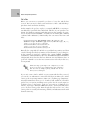
the partition to be repaired is not mounted, and for repairs to the / partition, it is necessary to use a repair disk such as Knoppix. One advantage to
using Knoppix for filesystem repair is that it includes tools to scan and
repair all of the major filesystems under Linux on a single CD, in addition to
tools to check MSDOS partitions for consistency. Besides, a filesystem check
on a 100-GB ext2 partition can take quite some time, and Knoppix has a
complete system full of other tools to pass the time while the filesystem
check finishes.
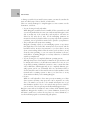
The primary tool used to check and repair filesystems under Linux is fsck
(short for FileSystem ChecK). If the power goes out while you are running a
Linux system on an ext2 filesystem or a system freezes before you can
unmount a filesystem, this tool comes up and checks the filesystem on the
next boot. If an ext2 filesystem has a lot of corruption or is the root partition, you might be prompted to boot into single-user mode (or boot onto a
rescue CD) and run a complete fsck from there on the unmounted filesystem. The fsck tool is actually a frontend to many filesystem-specific repair
tools located in /sbin named fsck.filesystem. When you run fsck on a filesystem, it attempts to guess the filesystem and run the appropriate tool. By
default, most fsck programs scan through the filesystem for consistency
errors, and if any are found, it prompts you before it attempts to repair
them.
For all of the following examples, be sure that the filesystem you are scanning is not mounted. You must always run fsck under sudo in Knoppix,
because the filesystems require root permissions to modify anything.
Ext2/Ext3
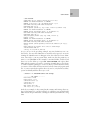
For ext2 and ext3 filesystems, the filesystem repair tool is fsck.ext2 or e2fsck.
To scan and repair a filesystem, simply run:
knoppix@ttyp0[knoppix]$ sudo fsck /dev/hda1
Replace /dev/hda1 with the partition you want to scan. If you want a nifty
progress bar, add a -C option. If there are multiple filesystems you want to
check, you can list them one after another on the command line.
ReiserFS
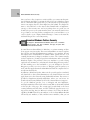
ReiserFS filesystems are repaired using the fsck.reiserfs or reiserfsck tools.
Reiserfsck performs many levels of filesystem checking and repairing, and
reports different error codes based on the problem at hand. First, check the
filesystem for errors with the following command:
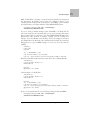
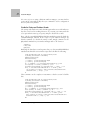
knoppix@ttyp0[knoppix]$ sudo reiserfsck --check /dev/hda1
212
|
Chapter 6, Repair Linux