1
HACK
Create an Emergency Router
With the new settings in place, start the LISa daemon:
knoppix@ttyp0[knoppix]$ sudo /etc/init.d/lisa start
Starting LAN Information Server: lisa.
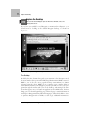
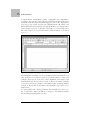
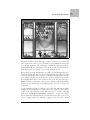
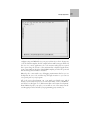
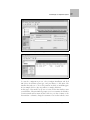
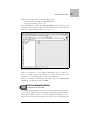
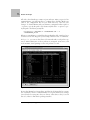
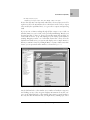
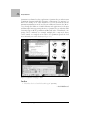
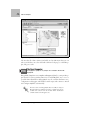
Now click K Menu ➝ Home, type lan://localhost in the location bar, and
press Enter. The machines on the network that LISa detects should appear,
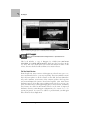
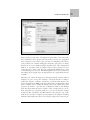
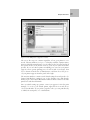
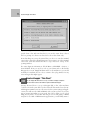
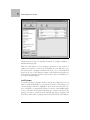
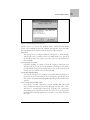
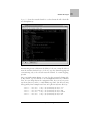
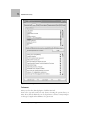
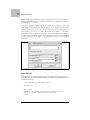
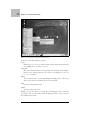
named according to their IP address, as in Figure 5-1.
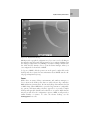
Figure 5-1. Networks detected by LISa
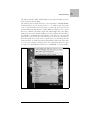
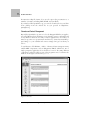
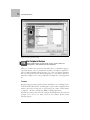
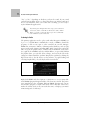
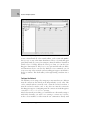
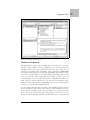
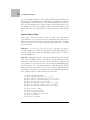
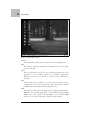
Click on a machine to see the different filesharing services it offers (see
Figure 5-2). Click on any of the folders to access files that the services are
offering. To access Windows shares, click on the SMB folder.
There are a number of filesharing services LISa supports, including FISH
(filesharing over SSH), FTP, NFS, and SMB.
H A C K
Create an Emergency Router
#49
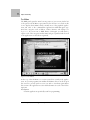
Turn Knoppix into a router or firewall.
Hack #49
Avoid thinking that Knoppix can be used only for demonstration purposes
or is fit only for light desktop use. Knoppix is a full-fledged portable installation of Linux, which means it can do most anything an installed version of
Linux can do. For instance, Knoppix comes ready to use as a fully functional
Chapter 5, Put Knoppix in Your Toolbox |
139
#49