1
pDoc Pro Server User Manual
6.7 – Terminate Enrollment
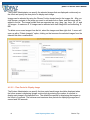
To terminate the enrollment on a client, first select the client and click on the “Terminate
Enrollment” button in the pDoc Pro Originator Demo #2 application. If the enrollment session in
the selected client is running, then the session will be terminated and the Client Home screen
application is activated automatically.
6.8 – Removing the Entries in the “Documents Being Signed” List
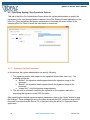
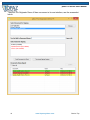
Each entry in the “Documents Being Signed” list has a checkbox at the beginning of the row
where it is listed. The originator can choose entries and click on a button named “Confirm” that
is present above the list on the right hand side to confirm that document is received or the
appropriate error received. The entries selected in the list are removed from the list. Clicking
the “Select all” check box, selects all the entries in the list.
The entries for the documents that have been enrolled and have not yet been received are not
selectable and cannot be removed from the list.
27
www.topazsystems.com
Back to Top