1
Configuring the Cable Menu, continued
After you select [say] the second digit, the ECU will repeat it to verify it heard it
correctly and ask you to:
"Say the third digit."
Select [say] the third digit of your cable box code. After you select [say] the third
digit, the ECU will repeat it to verify it heard it correctly. After a short delay
(approximately 30 seconds), the unit will respond with:
"Training Complete."
You will hear three clicks signifying you have successfully trained the unit to
recognize your cable box brand code. You are now ready to proceed to controlling
your cable box using switch or voice commands.
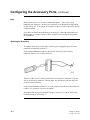
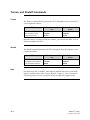
Note
Before you can operate your cable box, make sure the front of the Simplicity is
facing your cable box and is within 15 to 20 feet of it. Make sure nothing is blocking
the ECU's view of your cable box.
7-4
Simplicity™ Family
Copyright © 2001 QTI