1
12
IO.KAP-03.01(ENG)
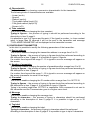
d) Characteristic
This function enables choosing a conversion characteristic for the transmitter.
The following kinds of characteristics are available:
− Linear (mx+b)
− Special
− Radical (sqrt(x))
− Third grade radical (sqrt(x^3))
− Fifth grade radical (sqrt(x^5))
− Square (x^2)
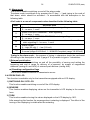
e) Time constant
This function enables changing the time constant.
Typing in figures – the process of typing in should be performed according to the
description in item 2) page 9.
It is possible to type in 5 figures and the point. If the typed in number, i.e. time constant
value, is larger than 30 seconds it will not be sent to the transmitter and message
“TOO LARGE PARAMETER” will be displayed on the transmitter’s screen.
2) CONFIGURING TRANSMITTER
In this tab it is possible to modify the following parameters of the transmitter:
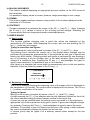
a) Device address
This function enables changing the transmitter address in a range from 0 to 15
Typing in figures – the process of typing in figures should be performed according to
the description in item 2) page 9. It is possible to type in 2 figures.
If a number from beyond the range 0 - 15 is typed in an error message will appear on
the screen.
b) Number of preambles
This function enables changing the number of preambles within a range from 3 to 20
Typing in figures – the process of typing in figures should be performed according to
the description in item 2) page 9.
If a number from beyond the range 3 - 20 is typed in an error message will appear on
the screen (parameter too small or too large).
c) ID number
This function enables changing the ID number within a range from 0 to 16777215.
Typing in figures – the process of typing in figures should be performed according to
the description in item 2) page 9. It is possible to type in 8 figures.
Typing in a number larger than 16777215 is impossible. Such command is not sent to
the transmitter and the Communicator goes to a higher menu level.
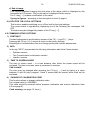
d) Message
This function enables changing the message text.
Typing in characters – the process of typing in characters should be performed
according to the description in item 2) page 9. It is possible to type in up to 32
characters.
e) Tag label
This function enables changing the label.
Typing in characters – the process of typing in characters should be performed
according to the description in item 2) page 9. It is possible to type in up to 8 characters.