1
13
IO.KAP-03.01(ENG)
f) Tag description
This function enables changing the description.
Typing in characters – the process of typing in characters should be performed
according to the description in item 2) page 9. It is possible to type in up to 16
characters.
g) Tag date
This function enables changing the date in the following format: XX.XX.XXXX (day,
month, year)
Typing in characters – the process of typing in characters should be performed
according to the description in item 2) page 9 in accordance with the above-presented
format.
h) Head number
This function enables changing the head number within a range from 0 to 16777215.
Typing in characters – the process of typing in characters should be performed
according to the description in item 2) page 9. It is possible to type in up to 8
characters.
Typing in a number larger than 16777215 is impossible. Such command is not sent to
the transmitter and the Communicator goes to a higher menu level.
i) Changing the lock code
This function enables changing the lock code.
The lock code consists of 8 characters.
Typing in the code
All the characters must be typed in otherwise the Communicator does not accept it and
goes to a higher menu level. The following characters may be typed in: 0, 1, 2, 3, 4, 5,
6, 7, 8, 9, A, B, C, D, E, F. Other characters are locked. Each character is typed in by
one short pressing an appropriate key. The typed in characters may not be removed,
these may only be overwritten. In order to change the code one must fill out the line
OLD and the line NEW with eight characters and then acknowledge it by pressing the
F3 key [ ↵ ].
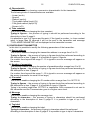
--- LOCK CODE CHANGE OLD: 1234567❚
NEW: 1234567❚
[ < ][ > ][ ↵ ][ ↑ ]
The Communicator confirms each correctly performed operation by displaying
message „CODE CHANGED”, and pressing the F3 key [ ↵ ] enables its saving. If the
lock code is typed in incorrectly the Communicator signals that situation by displaying
message „INCORRECT CODE” - then press the F3 key [ ↵ ] to be given a repeated
chance of typing in the code.
j) Saving lock
This function enables switching on and switching off the saving lock by providing an
appropriate code.
Typing in the code – according to the description in item i) page 13.