1
Table of Contents
1. Overview.....................................................................................................3
2. Quick Start .................................................................................................4
3. Windows Client Utility ...........................................................................7
3.1 Starting Program .................................................................................7
3.2 Login ........................................................................................................8
3.3 Main User Interface............................................................................8
3.4 Screen Projection ................................................................................8
3.5 Menu Description ................................................................................9
3.5.1 Show Login Code .............................................................................9
3.5.2 Open Admin Web Page ................................................................10
3.5.3 Searching Server ...........................................................................10
3.5.4 Projection Quality ......................................................................... 11
3.5.5 Projection Source .......................................................................... 11
3.5.6 Connection Profile.........................................................................12
3.5.7 Auto WiFi Connect ........................................................................14
3.5.8 Auto Power Manager ...................................................................14
3.5.9 Hide UI ..............................................................................................15
3.5.10
Advanced Screen Capture ......................................................15
3.5.11
Make PnS Token ........................................................................16
3.5.12
Copy Application to desktop .................................................17
3.5.13
About..............................................................................................18
3.5.14
Exit ..................................................................................................18
4. Web Management .................................................................................19
4.1 Home Page ...........................................................................................19
4.2 Download Software ..........................................................................19
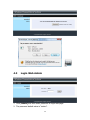
4.3 Login Web Admin ..............................................................................20
4.3.1 System Status .................................................................................21
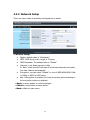
4.3.2 Network Setup ...............................................................................22
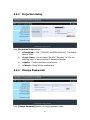
4.3.3 Projection Setup ............................................................................23
4.3.4 Change Passwords ........................................................................23
4.3.5 Reset to Default .............................................................................24
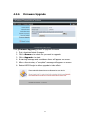
4.3.6 Firmware Upgrade ........................................................................25
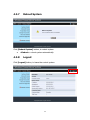
4.3.7 Reboot System ...............................................................................26
4.3.8 Logout................................................................................................26
2