1
LUMIPOCKET USER MANUAL 19
7. TROUBLESHOOTING, DIAGNOSTICS, AND MAINTENANCE
7.1 Troubleshooting
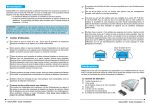
A - In case the printer is not detected by the software in phase 2:
1. make sure power and Usb cables are wired correctly to the printer
2. unplug the cables
3. plug them again
4. Click the “scan printer” button again. Should it not work, restart the software and try again.
B- In case the projector will not be automatically extended:
1. make sure that power and VGA or HDMI cables are correctly plugged
C- If the printer is overheated after prolonged use unplug it from power supply
D- While moving the carriage up and down DO NOT GO OVER THE LIMIT. It may cause a failure of
the stepper motor.
In case of failure, the motor will need to be replaced. Contact our support to get the proper
assistance and get information on how to buy the spare part.
E- Avoid resin or other liquid to fall on the LumiPocket base. It contains electronic components!
In case of failure, the electronic components need to be replaced. Contact our support to get
assistance and get information on how to buy the spare part.
7.2 Maintenance
-
Remove the electrical plug after using the printer.
Do not use alcohol to clean the acrylic pipe; it might remove the UV painting.
Do not use alcohol or other detergents to clean all acrylic parts (pipe, base or handle) it can
ruin the surface
Use only a soft damp cloth to clean the printer body.
After about 100 printing hours, you should lubricate the Z trapezoidal bar using PTFE
grease.
After you are done printing, do cover the resin vat and store it in a cool and dry place.
Avoid direct contact with light sources of any kind, as a precaution.