1
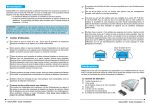
- choose the favourite slicing resolution (100 or 50 um)
- Click on “Slice”, the software will slice the .Stl file, and you can proceed to the next phase.
5.2 Levelling the printing carriage
- Fill the printing vat with resin so that the level is higher than the part you want to print.
WARNING: always wear protective gloves and goggles when using the resin. They may cause
skin, eye and respiratory system irritation, and skin sensitization/allergic reaction by skin
contact.
ATTENTION: As photosensitive pigments tend to deposit after a while, stir the resin well before
each print, in order to avoid colour spoiling.
IMPORTANT: the level of the resin MUST be at least 1 cm higher than the height of object you
are about to print
For the printed part to adhere correctly on the printing tray, you can follow this procedure: