1
Touch screen
11.4.3.2. Calibration
The touch must be calibrated so that it functions correctly.
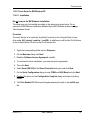
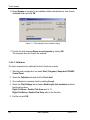
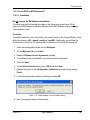
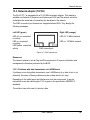
1. Start the touch configuration tool under Start Programs | Hampshire TSHARC
Control Panel.
2. Select the Calibration tab and click the Touch field.
3. Once calibration is complete, finish by clicking Accept.
4. Select the Click Settings tab and select Enable right click emulation and enter
the following values:
Right-Click Area + Double-Click Area each to 13;
Right-Click Delay + Double-Click Delay each to the third line.
5. Exit the tool with OK.
11.5. Right clicking
To perform a right click, touch the screen and maintain finger contact until the respective
right-click shortcut menu appears.
60
User’s Manual
DLoG ITC 7