1
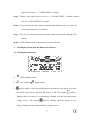
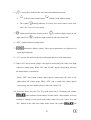
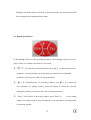
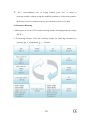
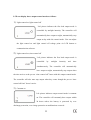
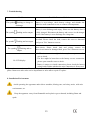
4) Load symbol, indicates the load status and malfunction status. indicates load normal output The symbol indicates load without output flashing indicates over-load, users must remove extra load, click “Esc” key to recover output. 5) Light-control and time-control symbol. light-control off. It indicates light-control on and It indicates light control on and time control off. 6)“SET” symbol indicates setting status. 7) Parameters display symbol. Each system parameters are displayed via visual digit and graph. 8)“1 2” at lower left indicates the first load output and the second load output. 9)When “ON” and a certain voltage value appear concurrently, the value is the light control on voltage point. When “ON” and “LOAD” appear concurrently, indicates the output mode is constant on. When “OFF” and certain voltage values appear concurrently, the value is the light control off voltage point. When “OFF” and a certain time values appear concurrently, the time indicates hours of the time control off. 10)Press the “Enter” key and “Esc” key at the same time, LCD displays the symbol which indicates wind turbine in brake status. Wind turbine will stop rotating or running in low speed under brake status. Press the “Enter” key and “Esc” button at the same time under brake status, the symbol 8 will