1
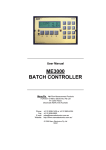
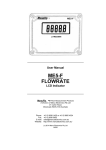
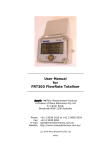
ME3000 MICROPROCESSOR PRESET BATCH CONTROLLER FEATURES Displays in ml, Litres, KL, grams, KG, US Gallons. Keypad input for batch setting, and programming. 2 line x 16 character display for quantity set and dispensed. 3 indicator LEDs. IP64 front face. Alarm messages shown on LCD display. Safety features include missing pulse detection. Functions include Preact and preset maximum limit. Optional RS232 printer interface for batch tickets, and to download internal Event Log. Single channel, can be used with any size flowmeter. Optional PLC/Computer control interface. Shown with optional –FP front interface for easy access to download the internal event log. The ME3000 microprocessor-based preset Batch Controller can be used with pulse output flowmeters of any size, for preset batch control applications. Batch counting can be in units of millilitres, Litres, KiloLitres, US Gallons (USG), grams or kilograms. The Controller is fully programmable, and has a range of safety features e.g. if no pulses arrive within a configurable batch start period, or if pulses are interrupted during the batch cycle or if the flow rate falls below the allowed minimum, then the pump voltage contact drive is automatically shut off and an alarm is raised. RUN LED indicates voltage contact output drive when pump or solenoid is activated. FLOW LED monitors and indicates incoming pulses from field flowmeter. OUTPUT LED indicates scaled pulses output from Batch Controller e.g. to a PLC/Computer. Internal audible ALARM sounds momentarily upon completion of batch cycle, and continuously if an error occurs. With the ME3000 Batch Controller using the same instrument housing, and the same 10-pin Weidmuller receptacle plug, as other ManuFlo Batch Controller models, changeover or upgrade is instant with no rewiring necessary. It can be easily interfaced with PLCs (through the optional computer control interface), thus incorporating the controller's safety features and providing a backup batch facility. An optional RS232 9600 baud interface allows the printing of batch tickets through an associated printer, and the downloading of the internal event log to a laptop/PC for analysis. The controller operates from standard 220 - 250 vac (or optional 110 vac or 12 - 24 VDC) voltage supplies. Contact output drive is via a relay (optional open contact). Standard controllers are in panel mount form, or optionally can be housed in a metal box or IP65 ABS wall mount enclosure. Displays Quantity set/dispensed Flowrate Backflow amount Grand Total (resetable) Batch Id (resetable) Alarms No pulses from flowmeter Batch Limit exceeded Max Flow Limit exceeded Pulse Output Rate exceeded Backflow Overbatch Configuration Batch units for display. Calibration input pulse scaling Output pulse scaling Pulse output rate limit Batch limit Backflow threshold Min/Max flow limits Batch Units Start/stop delay 4-20mA current output Preact No. of Batch Ticket copies. Time and date Date last calibrated Features Event Log (500 batches) Indicator LEDs - Run/Flow/Output Optional Outputs scaled Open Collector pulse output e.g. to PLC/Computer 4-20mA output representing flowrate Optional Interfaces PLC/Computer control (stop/start/reset) RS232 9600 baud printer interface at rear for batch tickets and event log download. RS232 9600 baud interface at front for easy access for download of event log. The ME3000 controller is designed for compatibility with ManuFlo flowmeters and many other types. N 15022 ManuFlo Flow Measurement & Control Products Page 1 a division of MANU ELECTRONICS PTY LTD www.manuelectronics.com.au OPERATING INSTRUCTIONS ME3000 Switch the power ON to unit. In a few seconds, the display shows SET and RDY(ready), with a zero quantity for RDY, all LED indicators and alarms are off. The unit is ready for batching or configuration. BATCHING: When SET/RDY is displayed, entering a batch quantity via the numeric keypad buttons will cause the displayed SET value to change and flash. Then, pressing the SET button locks in the new value, or pressing CANCEL reverts the value to its original setting, and the display digits stop flashing. Press the START BATCH button to start batch batching the set quantity. The RDY line title changes to REC (received). The voltage contact drive activates, the RUN LED illuminates indicating pump or solenoid are energized, followed by FLOW LED illuminating, indicating pulsing and operation of flowmeter. The digits on the REC (received) display line begin counting upward towards the selected batch quantity. Upon REC digits reaching the selected batch quantity the alarm sounds (short beep) indicating completion of batch; RUN, FLOW and OUTPUT LEDs turn off. The displayed SET and REC values should correspond. If REC digits overshoot target, then scale back the difference by changing the Preact value via the Configuration Mode (see below). To interrupt batch, push STOP button; REC counting will stop, and drive contact goes off. Push START BATCH to resume batch. On batch completion or termination, press RESET. Display REC line title changes to RDY (ready). To dispense the same set quantity again, press START BATCH. Otherwise, use the keypad to enter a new batch quantity. Warning: if RUN or FLOW LED indicators are on, but controller is not counting, discontinue use and call for service. EVENT LOG: using a straight-through female- to-female DB9 cable, connect from the Batch Controller‟s (optional) RS232 port (the optional front RS232 port provides easier access) to a Laptop/PC serial port. On the Laptop, start the HyperTerminal software (supplied as part of Windows), set up a connection at 9600 baud, 8 Data Bits, no parity, 1 stop bit, and capture text to a file. On the Controller, press the CANCEL and RESET buttons (those marked with „#‟) simultaneously for 5 secs, and the Event Log will download. To stop download, press CANCEL for 2 secs. See the ME3000 User Manual for more details. CONFIGURATION MODE: The Controller is factory configured to your requirements, but can be user re-programmed if required. Configuration Mode is entered from the SET/RDY display by pressing the CANCEL and STOP buttons (those marked with a ‘*’) simultaneously for 5 seconds. Use the buttons with the up/down arrows to step through configuration settings. When a configuration value is diplayed, entering a new value via the keypad causes the display value to change and flash. Then, pressing SET locks in the new value, or pressing CANCEL reverts value to its original setting, and the display digits stop flashing. Use the up/down arrows buttons to step through more configuration settings, or press CANCEL for 2 seconds to exit to the SET/RDY display. CALIBRATION 1) The Batch Controller is set up for the connected flowmeter using the Calibration Input pulse scaling item under Configuration Mode, to match the flowmeter‟s output pulse value. On-site calibration adjustment and test: 2) Must adjust what is shown as received (REC) on the Batch Controller LCD display to match a known amount dispensed. So, set batch quantity to say 190L, and batch into a 200 litre (44 gallon) drum. 3) If the amount collected is more than the REC amount shown on the LCD display, then decrease the Calibration Input value by the same % difference e.g. if collected 200L when 190L on LCD, this is 10L more or 5% over (10/190x100%). So, decrease the calibration value by 5% i.e. if Calibration Input value is 300, new value is 300-5% = 300-15 = 285. 4) If the amount collected is less than the REC amount shown on the LCD display, then increase the Calibration Input value by the same % difference. e.g. if collected 180L when 190L on LCD, this is 10L less or 5% under (10/190x100%). So, increase the calibration value by 5% i.e. if Calibration Input value is 300, new value is 300+5% = 300+15 = 315. 5) PREACT: To calibrate inflight overflow, enter Configuration Mode (as described above), and set the Preact value to the same overflow reading as indicated by the LCD display, where overflow = (the REC quantity) - (the SET quantity). Example: You set 190 Litres, batch the quantity, 200 Litres is shown on display, and 200 Litres is collected in drum. A valve may take extra time to close, so the received quantity usually overshoots. So, set 10 Litres on Preact to deduct the 10 Litres overshoot. Next batch, the set batch quantity, LCD REC reading and amount collected in drum are all 190 Litres. SPECIFICATIONS Power supply Fuse Frequency input Event Log Output to flowmeter Relay Display Connection Batch entry Optional Outputs Optional interfaces Instrument housing Mounting External dimensions Weight 220-250 vac (optional 110 vac or 12-24 VDC) 1 Amp (5 x 20mm case) 5 KHz internally records 500 batches 12 VDC, up to 100mA Same as supply voltage, or Open Contact on request. 2 line x 16 character, for quantity set and dispensed. 10 pin Weidmuller mating plug and socket quantity selection and commands via IP64 keypad scaled pulse output; 4-20mA output RS232, 9600 baud; PLC/Computer stop/start/reset ABS hi-impact case mould Panel mount. Panel cutout :190 L, 122 H mm 206 L, 130 H, 90 D mm. 1 kg Rear of ME3000 shown with optional -SC and -5P interfaces Due to continuous product improvement, specifications are subject to change without notice. ManuFlo Flow Measurement & Control Products Page 2 a division of MANU ELECTRONICS PTY LTD www.manuelectronics.com.au ME3000 Batch Ticket Event Log example ORDER CODES ME3000 Batch Controller, 240vac. Options: Code Description 12-24 VDC powered. -DC -24VAC 24 vac powered. -110 110 vac powered. -L -OPA For connection to a coil-type flowmeter. Open Contact pump output. Alarm output. -OPB -OPC Batch complete output. 4 - 20 mA output. -OC Code -5P Description 5-pin computer interface plug (start, stop, reset, pulse,+12V) for use with ME5IC interface card for Jonel, COMMANDbatch etc PLCs. 4-pin PLC/Computer Command (Start/Stop/Reset) -MC interface plug. 2-pin plug for scaled open collector pulse output. Includes -MC2 4-pin external command (Start/Stop/Reset) interface plug. External command: Start/Stop/Reset, for connection to -SSR HB2500-SSR housing box, or for remote control facility. RS232 serial interface, 9600 baud, at rear, -SC for connection to printer. RS232 port on front (includes XC4834 RS232 to USB -FP converter cable), in addition to an RS232 port at back, for easy access to download data to laptop. XC4834 DB9 Serial to USB converter cable. e.g. “ME3000” is the standard Batch Controller, 240vac powered, without any of the options, whereas “ME3000-MC2” is an ME3000 Batch Controller with a scaled open collector pulse output, and external Start/Stop/Reset. BATCH TICKET ACCESSORIES Code APM-n93XS TMP Description Thermal Ticket Printer, without power supply. suitable for custody transfer dockets for ME3000-SC. ME3000-SC and APM-n93XS printer, wired and mounted in a key lockable rugged IP64 hinged enclosure. automatic ticketing. prints Batch ID, quantity, time and date. ribbon and paper easily changed. Ideal for delivery trucks or loading and discharge locations where a custody transfer docket is required. ManuFlo Flow Measurement & Control Products Page 3 a division of MANU ELECTRONICS PTY LTD www.manuelectronics.com.au ME3000 ACTIVE Rear ME3000 VAC SUPPLY Connection for coil type flowmeter e.g. for RPFS-L TWIN SHIELDED CABLE at rear of Batch Controller signal signal SHIELD TWIN SHIELDED CABLE A N E outlet line above level of Storage Tank (most common) ADMIX STORAGE TANK tank Valve optional 3-Way Valve (calibration point) Filter Non-Return Valve E N A PUMP Gate Valve restricts flow Flowmeter Optional 240vac Solenoid to prevent Venturi effect when injecting into water lines. Non-Return Valve Standard AC Wiring for Pump and optional Solenoid Note the different connection to the Batch Controller Wiring Plug if the flowmeter is a coil type. Wiring for AC Solenoid without Pump Batch Controller supply: 240vac. Solenoid: 240vac ManuFlo ®TM Flow Measurement & Control Products a division of MANU ELECTRONICS PTY LTD Rev: 1202/1 Page 4 41 Carter Road, Brookvale Sydney NSW 2100 Australia Ph: + 61 2 9905-4324, 9938-1425 Fax: + 61 2 9938-5852 Web: www.manuelectronics.com.au Email: [email protected]