1
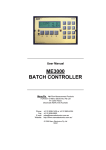
OPERATING INSTRUCTIONS ME3000 Switch the power ON to unit. In a few seconds, the display shows SET and RDY(ready), with a zero quantity for RDY, all LED indicators and alarms are off. The unit is ready for batching or configuration. BATCHING: When SET/RDY is displayed, entering a batch quantity via the numeric keypad buttons will cause the displayed SET value to change and flash. Then, pressing the SET button locks in the new value, or pressing CANCEL reverts the value to its original setting, and the display digits stop flashing. Press the START BATCH button to start batch batching the set quantity. The RDY line title changes to REC (received). The voltage contact drive activates, the RUN LED illuminates indicating pump or solenoid are energized, followed by FLOW LED illuminating, indicating pulsing and operation of flowmeter. The digits on the REC (received) display line begin counting upward towards the selected batch quantity. Upon REC digits reaching the selected batch quantity the alarm sounds (short beep) indicating completion of batch; RUN, FLOW and OUTPUT LEDs turn off. The displayed SET and REC values should correspond. If REC digits overshoot target, then scale back the difference by changing the Preact value via the Configuration Mode (see below). To interrupt batch, push STOP button; REC counting will stop, and drive contact goes off. Push START BATCH to resume batch. On batch completion or termination, press RESET. Display REC line title changes to RDY (ready). To dispense the same set quantity again, press START BATCH. Otherwise, use the keypad to enter a new batch quantity. Warning: if RUN or FLOW LED indicators are on, but controller is not counting, discontinue use and call for service. EVENT LOG: using a straight-through female- to-female DB9 cable, connect from the Batch Controller‟s (optional) RS232 port (the optional front RS232 port provides easier access) to a Laptop/PC serial port. On the Laptop, start the HyperTerminal software (supplied as part of Windows), set up a connection at 9600 baud, 8 Data Bits, no parity, 1 stop bit, and capture text to a file. On the Controller, press the CANCEL and RESET buttons (those marked with „#‟) simultaneously for 5 secs, and the Event Log will download. To stop download, press CANCEL for 2 secs. See the ME3000 User Manual for more details. CONFIGURATION MODE: The Controller is factory configured to your requirements, but can be user re-programmed if required. Configuration Mode is entered from the SET/RDY display by pressing the CANCEL and STOP buttons (those marked with a ‘*’) simultaneously for 5 seconds. Use the buttons with the up/down arrows to step through configuration settings. When a configuration value is diplayed, entering a new value via the keypad causes the display value to change and flash. Then, pressing SET locks in the new value, or pressing CANCEL reverts value to its original setting, and the display digits stop flashing. Use the up/down arrows buttons to step through more configuration settings, or press CANCEL for 2 seconds to exit to the SET/RDY display. CALIBRATION 1) The Batch Controller is set up for the connected flowmeter using the Calibration Input pulse scaling item under Configuration Mode, to match the flowmeter‟s output pulse value. On-site calibration adjustment and test: 2) Must adjust what is shown as received (REC) on the Batch Controller LCD display to match a known amount dispensed. So, set batch quantity to say 190L, and batch into a 200 litre (44 gallon) drum. 3) If the amount collected is more than the REC amount shown on the LCD display, then decrease the Calibration Input value by the same % difference e.g. if collected 200L when 190L on LCD, this is 10L more or 5% over (10/190x100%). So, decrease the calibration value by 5% i.e. if Calibration Input value is 300, new value is 300-5% = 300-15 = 285. 4) If the amount collected is less than the REC amount shown on the LCD display, then increase the Calibration Input value by the same % difference. e.g. if collected 180L when 190L on LCD, this is 10L less or 5% under (10/190x100%). So, increase the calibration value by 5% i.e. if Calibration Input value is 300, new value is 300+5% = 300+15 = 315. 5) PREACT: To calibrate inflight overflow, enter Configuration Mode (as described above), and set the Preact value to the same overflow reading as indicated by the LCD display, where overflow = (the REC quantity) - (the SET quantity). Example: You set 190 Litres, batch the quantity, 200 Litres is shown on display, and 200 Litres is collected in drum. A valve may take extra time to close, so the received quantity usually overshoots. So, set 10 Litres on Preact to deduct the 10 Litres overshoot. Next batch, the set batch quantity, LCD REC reading and amount collected in drum are all 190 Litres. SPECIFICATIONS Power supply Fuse Frequency input Event Log Output to flowmeter Relay Display Connection Batch entry Optional Outputs Optional interfaces Instrument housing Mounting External dimensions Weight 220-250 vac (optional 110 vac or 12-24 VDC) 1 Amp (5 x 20mm case) 5 KHz internally records 500 batches 12 VDC, up to 100mA Same as supply voltage, or Open Contact on request. 2 line x 16 character, for quantity set and dispensed. 10 pin Weidmuller mating plug and socket quantity selection and commands via IP64 keypad scaled pulse output; 4-20mA output RS232, 9600 baud; PLC/Computer stop/start/reset ABS hi-impact case mould Panel mount. Panel cutout :190 L, 122 H mm 206 L, 130 H, 90 D mm. 1 kg Rear of ME3000 shown with optional -SC and -5P interfaces Due to continuous product improvement, specifications are subject to change without notice. ManuFlo Flow Measurement & Control Products Page 2 a division of MANU ELECTRONICS PTY LTD www.manuelectronics.com.au