1
5-6. Temperature measurement
To measuring temperature shuld be use the K-type probe :P3400.
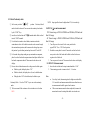
1. Set the rotary switch to the “TEMP” range. In this time, The
environment temperature value displayed on the LCD.
2. Insert the K-type probe to the two “COM” and “TEMP” terminals.
The two “+” and “-“ pins of temperature probe(P3400) must be direct
at the “COM” & “ ℃”terminal respectively.
3. The measured temperature value will be displayed on the LCD.
5-7. Detecting AC electric field [ NCV function]
The red LED on the upper area on the front panel lights up and then flickering
at all function except for OFF when electric field excceding 90V is detected by
the sensor that is incoporated in the inner upper area of front case.
It indicates a presence of AC voltage in an electrical cricuit or equipment
without touching them, i.e Non Contact Voltage detection(NCV).
Detection against in-wall outlet is possible.
The detecting position may be away about 20mm from the objet under check.
- 16 -
6. Maintenance
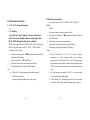
6-1. Replacing the battery
When meter display
the battery must be replace to maintain
normal operation.
① Disconnect and remove all test probes from any live
source and meter.
② Open the battery cover on the bottom case by
screwdriver.
③ Remove old battery and snap new one into battery
holder
6-2. Fuse replacement
Replacing the defective fuse should the done according to the following
procedure.
i.
To avoid electrical shock, remove the test lead and any input
signal before opening the bottom case.
ii.
Open the botton case and then remove the defective fuse and
insert a new fuse of the same size and rating(F250mA H250V or
F10A H250V).
iii.
Replace the bottom case and reinstall all the screw.