1
3. PRINTER INSTALLATION AND OPERATION
3.1 Printer Disassembling And Installation
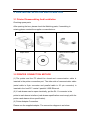
Checking spare parts:
After opening the box, please check the Matching parts, if something is
missing please contact the supplier or manufacturer.
Printer
Adapter
Power Cord
Paper Roller
CD
Communication cables
3.2 PRINTER CONNECTION METHOD
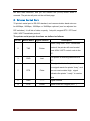
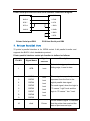
(1) The printer and the PC should be closed and communication cable is
inserted in the printer connection port. The other side of communication cable
(serial cable is 9-pin connector and parallel cable is 25 -pin connector) is
inserted in the host PC 's serial / parallel / USB /Ethernet.
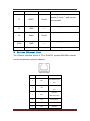
(2) If cash drawer can be open electrically, put the RJ-11 connector in the
printer’s cash drawer interface (cash drawer specification must comply with the
printer cash drawer driver specification).
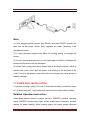
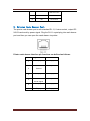
(3) Printer Adapter Connection.
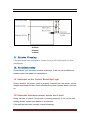
Please use the supplied adapter. The connection diagram is as below:
8