1
Finisher Functions
This section describes principal finisher functions.
For setting the functions described here, use the [Finisher] tab of the printer driver.
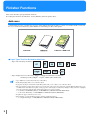
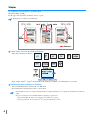
Add cover
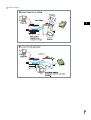
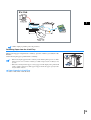
A printed sheet of paper or another type of paper can be added to the body of prints as a front cover and/or a back cover. Load
the covers in the Cover Sheet Tray of the Finisher or in the Interposer Tray of the printer.
" Paper Types That Can Be Used for Add Cover
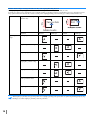
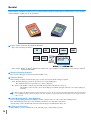
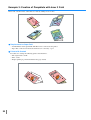
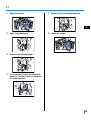
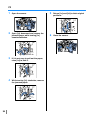
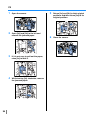
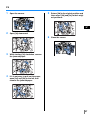
• Paper size and setting orientation:
• Paper weight: For Cover Sheet Tray: 60g/m2 - 220g/m2 (16-lb bond to 58.7-lb bond)
For Interposer Tray: 60g/m2 - 157g/m2 (16-lb bond to 42-lb bond)
•
•
•
•
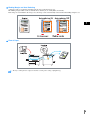
Up to 200 sheets can be loaded in the Cover Sheet Tray.
If [Booklet] is [ON], back covers cannot be added.
If [Separate books] is set in Details of [Booklet], either front covers or back covers cannot be added.
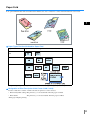
The paper size that can be loaded as front covers are the same as the paper size for the body of prints. When loading front covers
of a different size from the body of prints, set the paper size of the tray (Cover Sheet Tray / Interposer Tray) to the size of [Output
paper size] on the [Layout] tab of the printer driver. However, do not set [Auto].
# "4.1/4.2/4.3 Standard Feed Tray" of "HC5000 User’s Manual for Printer Main Body"
# "4.11 Cover Sheet Tray" of "HC5000 User’s Manual for Printer Main Body"
• Irregular size paper cannot be used as covers.
• When loading covers in the Interposer Tray, setting is required in advance.
# "5.3 Separation Paper" of "HC5000 User’s Manual for Printer Main Body"
2