1
ispANALYZER
ispANALYZER
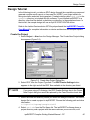
Use the ispANALYZER to connect observable nodes to output pins without repeating
design entry, compilation, and verification steps.
1. Select Tools ⇒ ispANALYZER from the ispEXPERT Design Manager.
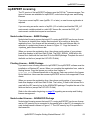
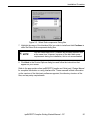
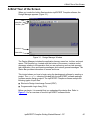
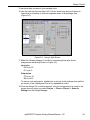
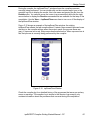
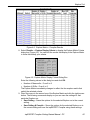
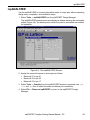
The ispANALYZER window opens and displays a window showing the observable
nodes (Figure 4-9). The device pins to which they can be connected are enabled
for interaction.
Figure 4-9. The ispANALYZER Window
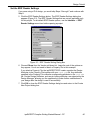
2. Assign the macrocell names to device pins as follows:
• Macrocell 01 to pin 21
• Macrocell 02 to pin 22
• Macrocell 03 to pin 17
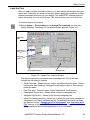
3. Select Tools ⇒ Compile from the ispANALYZER window to generate new .jed,
.sim, and .apt files to reflect the node and device pin connections.
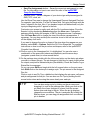
4. Select File ⇒ Return to ispEXPERT to return to the ispEXPERT Design
Manager.
ispEXPERT Compiler Getting Started Manual - PC
69