1
ZYW130-RG Chartless Recorder
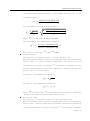
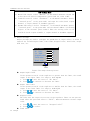
condition, only available when the medium is natural gas.
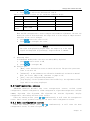
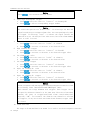
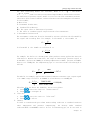
1. Press or to move the cursor to “Compressing coefficient
2. Press or to input.
Long press
Zn “
Notice
at “standard temperature Tn”, “standard pressure
or
Pn”, “Compressing coefficient Z f “, “Compressing coefficient
Z n “,
the variation of inputting data will become faster. Press to modify the
decimal digits.
9.
Square Root
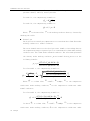
The Square Root function is generally applied to the process of flow signals like
Orifice throttling. If the signal is greater than 5%, the precision of Square Root
is greater than 0.2%.
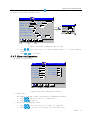
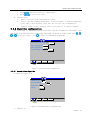
1. press or to move the cursor to “Square Root”
2. Press or to select Yes or No.
5.3.8.3 PID Algorithm
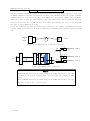
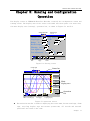
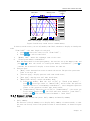
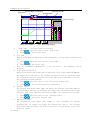
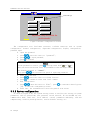
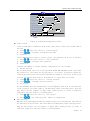
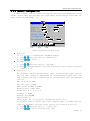
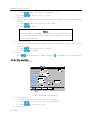
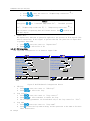
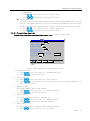
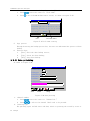
PID algorithm configuration is as shown in figure 5.30.
PID Setting
2007-07-27 09:18:30
PID loop: 01
Control:
Loop name:PID01
Output channel: 02
Sampling channel:01
SV type: Set
External SV channel:None
Set value: 0.0
A/M switch: M
<<
Exit
Yes
PID Setting
2007-07-27 09:18:30
Proportion coefficient:100.0 %
Integral time:9999. S
Differential time: 0.0 S
Integral detachment:100.0 %
P/N action: P
Output settings:
>>
<<
>>
Exit
Figure 5.30 PID Channel Configuration Screen
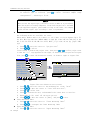
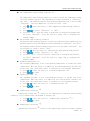
1. PID Loop
1. Press or to move the cursor to “PID Loop”
2. Press or to select the loop.
2. Loop control
1. Press or to move the cursor to “Loop control”
2. Press or to select whether to enable the loop.
3. The following parameters can be modified only if the loop control is “Yes”.
3. Loop name
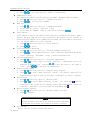
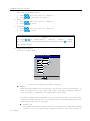
1. Press or to move the cursor to “Loop name”
2. Press to enter the loop name setting, and the operation is the same as Location
Label modification
40 ZhongYi