1
My Text Ads
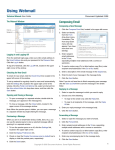
Click on the My Text Ads navigation button to add or
manage your text ads.
You will see an area similar to the My Banners area,
where you can see how many Text Impressions you
have, assign them all with the One-Click Power Assign
button, transfer impressions from one ad to another, and
create new text ads.
If you have no text impressions, you can convert credits or cash into text impressions in
the Convert Credits area.
To transfer text impressions from one ad to another, use the transfer menu. Select the ads
you want to transfer from and to from the pull-down menus and enter the number of
impressions you want transferred, then click on the Submit button.
Scroll down a bit more and you will see a box where you can enter your new text ad. In
this example we have created an ad for TE Command Post:
Ad URL: This is the link to the website you want people to see when they click on your
ad. Remember to include the http://
Ad Text: Up to 30 characters. Try to make it interesting. Don't use the “Visit My Site” text
which you will see in the Ad Text box, it won't be approved!