1
INSTALLATION
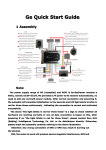
< FUNCTION >
Video Test Output
OSD Control
Connector
1. Dome Base Mounting
- Open the dome cover.
- Mount the base of camera to a sturdy surface using screws with
accessories supplied through premade holes on the base
of the dome.
2. Power Connection & Monitor Impedance
- To avoid fire or shock hazard, always use a CE listed power supply.
- Check Monitor impedance switch if the image is blurred.
3. Camera Adjustment
- Adjust camera angel by moving the gymbal bracket.
- Adjust Zoom and Focus by lever attached to lens if it is varifocal lens.
- Use the OSD control to select the different camera functions if it is
OSD model.
4. Dome Cover Mounting
- Put the dome cover back and make sure it is properly fixed.
Accessories
Manual
!
L-Wrench
Screw &
Anchor for fixing
Video
Test Cable
When you install the camera, please glue up the end of cable to keep it stable in
order to protect the camera from the humidity problems.
CAUTIONS
1. Assemble the main body of the camera with lens quickly at a clear place to avoid dust.
2. Be careful not to drop this camera and not to impact on it. CCTV camera is a precision machine.
3. Do not install the camera opposite of the sun so that it be avoided direct light.
4. The camera must be installed at a steady place without shaking or something else.
5. Do not pull the cable. if you pull the cable, it will make electrical problems such as disconnection.
6. Installation this camera aat safety place where is no water. If the camera has some problems with water accidently. You have to contact
A/S center that sold the camera to you.
7. If you would like to relocate the already installed product, be sure to turn off the power and then move or reinstall it.
WARRANTY
1. Products are supplied with 2 year limited warranty from the date of purchase. We will repair or replace the defective item with a new or
factory rebuilt replacement.
2. Transportation of the product to our service center is the responsibility of the user. Repaired or replaced product will be returned prepaid
during the warranty period.
3. This warranty applies to the original purchaser only.
4. This warranty will be invalid if unauthorized repair or modifications are made to the unit or in any case of accident, misuse or damage
caused by improper installation or altered serial numbers.
5. The liability of the company has limited the cost of repair/replacement of the unit under warranty.
6. If you need warranty service, please return the product to your distributor/dealer. Proof of pruchase may be required.