1
Managing multiple audio inputs to the
uStream
When an audio source is connected via the
uStream, your hearing aids will automatically
switch to special streaming programs.
It is possible to have two Bluetooth audio
sources connected.
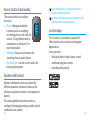
Spoken status indicators and the indicator light
inform you about the connected inputs.
A phone call always has priority. You will hear
the ringtone even when listening to other audio
sources. If you reject or terminate the call, audio
streaming will resume.
It is not possible to change hearing aid
programs using the access ( ) button as
long as any audio source is connected to the
uStream.
If you want to listen to music from your
connected mobile phone, you must start the
music via your phone initially; it cannot be
started from the uStream.
36
Selecting from multiple inputs using the
uStream
With only one audio source (e.g., from a
Bluetooth transmitter), each press of the access
( ) button will pause or resume the audio
source. You can completely stop the music by
pressing and holding the access ( ) button for
two seconds. It must be re-started using the
music device.
Multiple sound sources can be accessed
sequentially by pressing the access ( ) button.
After each press, the uStream selects the next
connected source in a fixed sequence.
If a source is not connected, the uStream will
skip over it and proceed to the next source.
Every connected audio source has a fixed place
in the sequence, as shown in the diagram.
Previously-active
hearing program
Bluetooth
music 2
Bluetooth
music 1
37