1
The Harmonizer® Programmer’s Manual
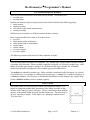
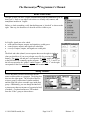
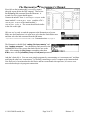
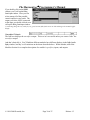
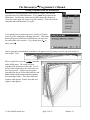
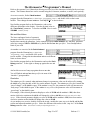
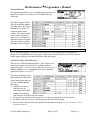
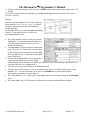
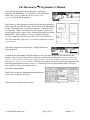
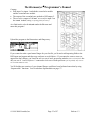
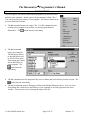
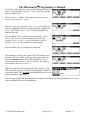
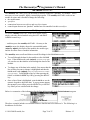
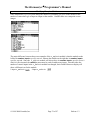
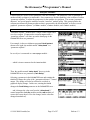
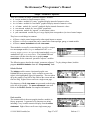
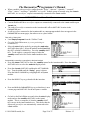
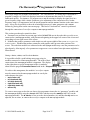
First click on the head module’s userobject input 1
(the pink square below the DSP outputs). Then select
the Add Repeating Field command from the Edit menu. A
second userobject input should appear.
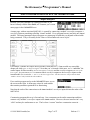
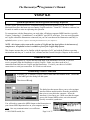
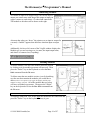
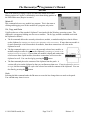
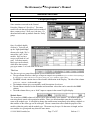
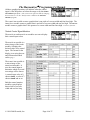
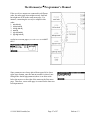
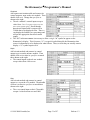
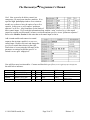
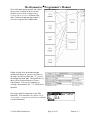
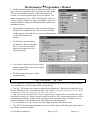
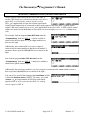
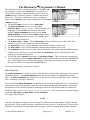
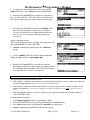
Connect the modfilter’s userobject output to the
head module’s userobject input 1 and the LFO’s
userobject output to the head module’s
userobject input 2. The screen should look similar
to the one on the right.
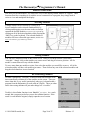
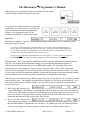
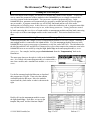
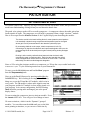
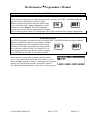
OK, now we’re ready to send the program to the Harmonizer to be run.
Make sure the Harmonizer is in some area other than the Patch Editor area
and then select the Send command from the Midi menu.
→ If you aren’t connected to the Harmonizer, read “Communications” on page 16.
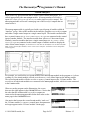
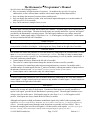
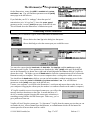
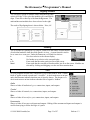
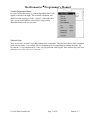
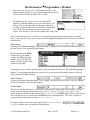
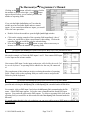
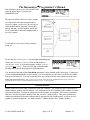
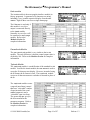
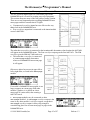
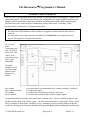
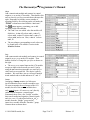
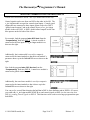
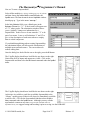
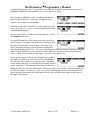
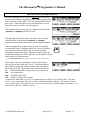
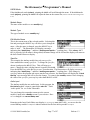
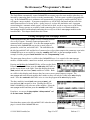
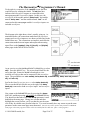
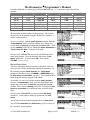
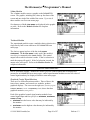
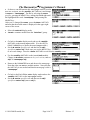
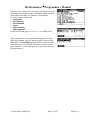
The Harmonizer should flash “coding file from remote” and
then “loading program." You should then find yourself in the
PARAMETER area with a screen that looks like the one to the
right. After turning the [lfo] /freq to something other than
0.0Hz, mess with the [modfilte] /freq and freq mod parameters.
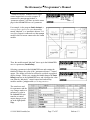
And that’s basically it. You can create simple programs by concentrating on “cornerstone one” and then
satisfying the other two “cornerstones,” by liberally connecting userobject outputs to the head module.
Now that you’ve been introduced to the basics and have some hands-on experience, let’s move on to
more advanced topics in program construction.
© 1999-2008 Eventide, Inc.
Page 26 of 97
Release 1.3