1
The Harmonizer® Programmer’s Manual
CREATING THE USER INTERFACE
The Patch Editor automatically creates PARAMETER area menu pages for most modules when they are
inserted by connecting their userobjects to the head module. You can create a wealth of programs this
way. In the PARAMETER area, parameters will automatically be grouped by module and SOFT KEYS
will appear -one per module. A program created this way will be fully functional and have all of the
audio characteristics of a factory preset. Audio, however, is where the similarities end. A program
created using the “automatic menu system” will not look as slick, nor be as easy to use, as the factory
presets are. Factory presets are created by hand-connecting the userobjects of knob modules to
menupage modules and then hand-connecting the userobjects of those menupage modules to the
head module. This chapter details how this is done.
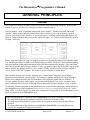
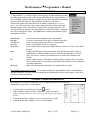
Viewing Menupages and Menupage Modules
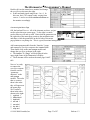
A menupage module has a single userobject and any number
of userobject inputs. Normally a menupage module is
connected to the head module. If so, the menupage module
shows up in the PARAMETER area as one or more pages of
parameters, a title line, and a SOFT KEY. The information for
the title line and SOFT KEY and the list of connected userobjects that comprise the parameters seen in the
PARAMETER area are accessible by using the <modify> SOFT KEY on the menupage module. For
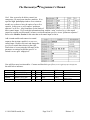
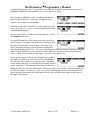
example, load the program Patch Instruct from the “Programming” bank.
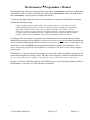
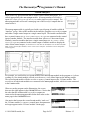
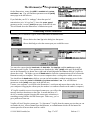
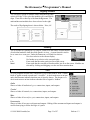
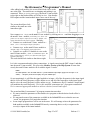
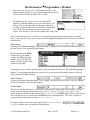
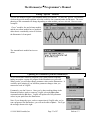
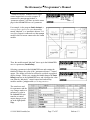
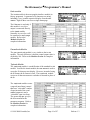
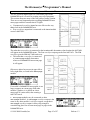
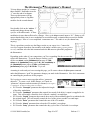
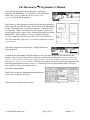
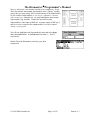
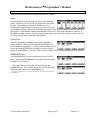
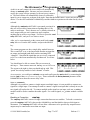
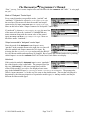
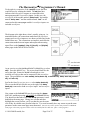
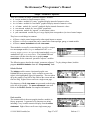
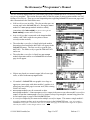
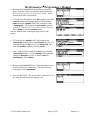
The menu page shown above is visible in the PARAMETER area. It is created with a menupage
module, a knob module, a monitor module, and a textblock module (we’ll see how in a minute).
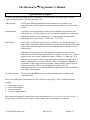
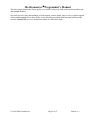
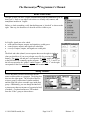
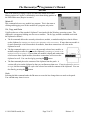
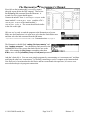
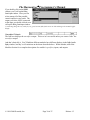
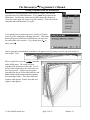
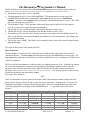
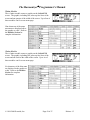
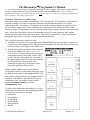
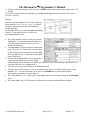
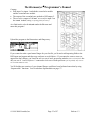
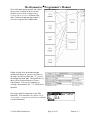
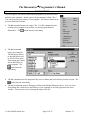
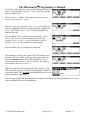
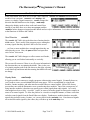
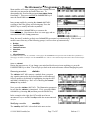
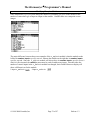
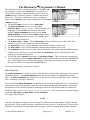
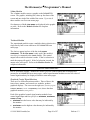
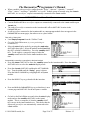
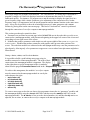
Pressing and holding the PARAMETER key will access the Patch
Editor area. Do so and then press the <aud only> SOFT KEY to
get the screen shown to the right. From this display the knob
(knb) module and monitor (mon) module are visible. Both
are visible in this display mode because they have one or more control inputs or outputs. The
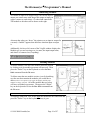
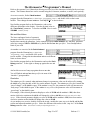
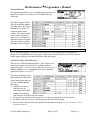
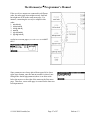
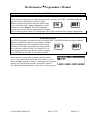
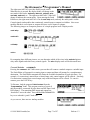
menupage and textblock modules have neither so they will only be visible in the misc display
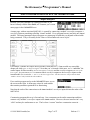
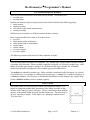
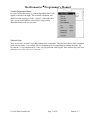
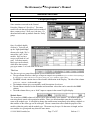
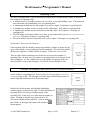
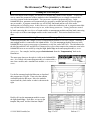
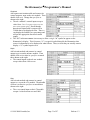
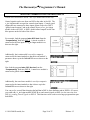
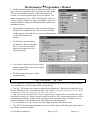
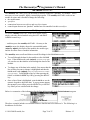
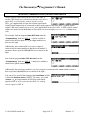
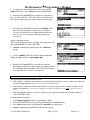
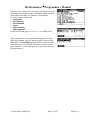
mode. Press the <aud+ctrl> SOFT KEY twice to view the program in the misc display mode.
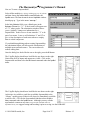
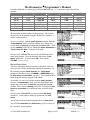
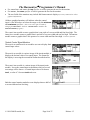
The three modules, head (hed), menupage (mnu), and
textblock (txt) can now be seen. Pressing the LEFT or
RIGHT CURSOR key will select one of the modules. Select the
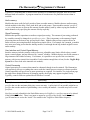
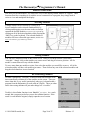
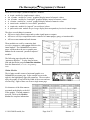
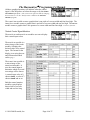
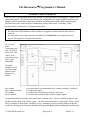
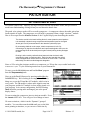
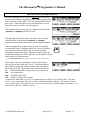
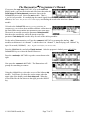
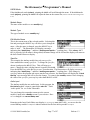
menupage module and then press the <modify> SOFT KEY.
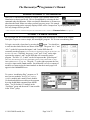
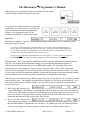
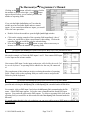
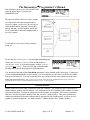
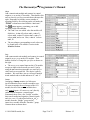
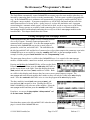
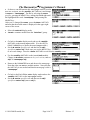
From here, we can see the description “delay control” and
the 8 char name “DelayCtl."
Note that these equate to the title and SOFT KEY when the menu
page is viewed in the PARAMETER area.
© 1999-2008 Eventide, Inc.
Page 81 of 97
Release 1.3