1
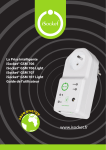
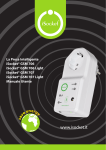
ENGLISH Thank you for choosing iSocket. Please take a few minutes to read through these operating instructions carefully before using the product so that you can get full advantage of the functionality and get maximum enjoyment from it. Pay special attention to the safety instructions in Chapter 2! Incorrect use could affect your guarantee or jeopardise health or property. We reserve the right to make design changes on the device and its software without prior notice. Deviations not mentioned in this instruction might exist in the software, which is considered acceptable and not considered a defect. The latest version of these instructions can be found on our website www.isocketworld.com. Be sure to read the terms of warranty before using the device, so that you do not to lose your rights under the guarantee as a result of improper operation (Chapter 18). You agree with the terms of warranty and limitation of liability described in Chapter 18 when you purchase this product. Please keep these operating instructions in a safe place for easy access when needed. We hope you thoroughly enjoy using your iSocket. NOTE! The software supplied with this product is the exclusive property of iSocket Systems. As an end-user you are granted a non-exclusive license to use this software solely in combination with the device on which it is installed and with which it is supplied. The license is non-transferable and you do not have the rights to grant sublicenses. Your iSocket device has a unique feature - " iSocket® Online 24/7" - that gets the device back online even after a break in the GSM-network. However the device needs a strong GSM signal in the area - it has an internal antenna and may not operate efficiently if the signal in your area is weak. Ensure that you have a strong GSM network before using the device. Do not put metal or other conductive objects near the device - this may cause signal loss. This product is designed for home and office use only. Different types of alerts that iSocket send you (power failure / power restored / temperature rise /temperature fall / sensor triggered / etc.) rely on the correct configuration of the mobile phone number for the alerts – see Chapter 5.3. This product uses a Lithium-ion battery and MUST NOT be used outside the specified temperature! Please refer to technical information (Chapter 16) for detailed information about operating conditions and read the safety instruction (Chapter 2) carefully. If you wish to use the iSocket Power Notifier feature, plug in the device for 10 hours before use. This will charge the built-in battery. If you use a prepaid card you might be need to activate it first with your cell phone network provider. More information is available from www.isocketworld.com/prepaid/