1
Reference
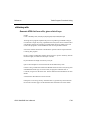
Overview of the Basic Web Utility and CGI
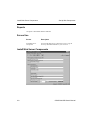
Installing and Configuring the Basic Web Utility
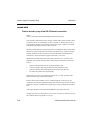
UNIX
The Basic Web Utility works with PRO/5 on any version of UNIX and with any
Web server that supports standard CGI. All Web servers support standard CGI,
including NCSA, Cern, Apache, and Netscape.
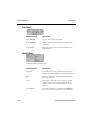
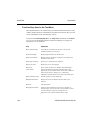
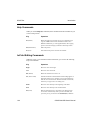
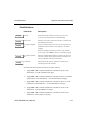
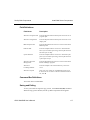
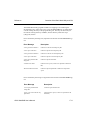
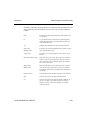
To install the Basic Web Utility, copy bwu.sh to a CGI directory, or a name
recognized as a CGI script (.cgi.). Then, edit the script to start both PRO/5 and the
program to run.
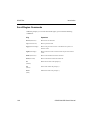
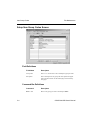
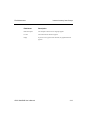
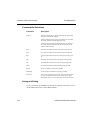
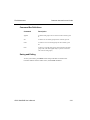
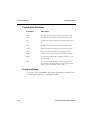
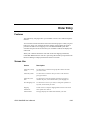
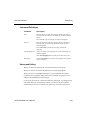
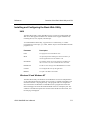
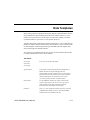
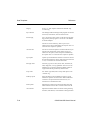
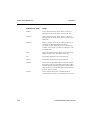
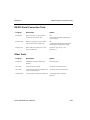
Parameter
Description
PGM
The program to run when PRO/5 starts
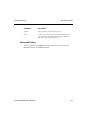
MEM
An optional parameter defining the amount of memory to
start the application with. The default is 512.
MAXTRIES
The number of times the script attempts to start PRO/5 in
the event of an error, such as maximum users exceeded.
ERRORLOG
The file to store messages when MAXTRIES is exceeded.
CONFIG
The config.bbx file used by the application.
BBEXEC
The path to the PRO/5 executable.
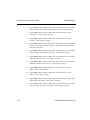
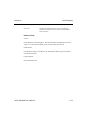
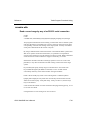
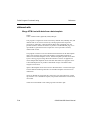
Windows 95 and Windows NT
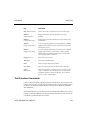
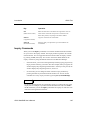
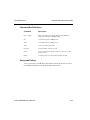
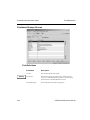
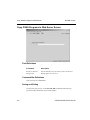
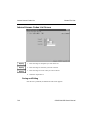
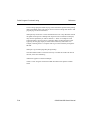
The Basic Web Utility for Windows 95 and Windows NT is more complicated to
set up and configure than for UNIX. As an overview, a windows executable is run
from the webserver’s scripting directory. This program reads in a configuration
file, and executes Visual PRO/5. Visual PRO/5 runs a program that creates the
desired webpage, and writes the resultant HTML source to a temporary file. The
windows executable then passes the contents of this file back to the browser, and
the web page is displayed.
OSAS Web B2B User’s Manual
F-5