1
Reference
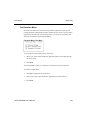
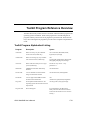
Toolkit Program Functional Listing
utmeta.wbb
Scans text for special substitutions
Syntax
CALL "utmeta.wbb",tpl$, text$
This program is CALLed by the uthtmout.wbb and utfrmout.wbb programs and can
also be called directly. The purpose of this program is to allow easy file inclusion
in text strings and to provide some conditional control over the content of HTML
text without resorting to in-line Business Basic coding.
The data template tpl$ is used when evaluating conditional suppression. See the
Data Templates section for more information.
The text string text$ contains the meta commands and also returns the result after
substitutions are performed.
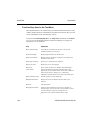
{include filename} - loads the text file filename into text$. This method creates
HTML template files and incorporates them in an application. filename must be
accessible to Business Basic.
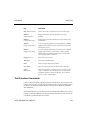
{if datafield opr value} ... {end} - evaluates the expression datafield opr value, and
if it fails, suppresses any text between the if and end tags. If the expression is valid,
the tags are removed, but the text between them is retained.
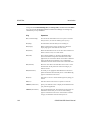
datafield can be either a field in the data template or a global string variable name.
The operator opr can be >, <, =, >=, <=, <>, in, or !in. The "in" and "!in" operators
perform position checks on text fields and values. If datafield is numeric in the
template, value must be a simple number. If datafield is defined with a user
attribute of "date=format", value should be a text date, such as "11/30/95".
{if}{end} tags may be nested. An example follows:
{if ytd_sales > 0} <td>Sales: [ytd_sales]</td> {end}
If datafield is not found in the data template and is not a global string variable, the
meta instruction is retained in the text.
Note that datafield should not be enclosed in brackets, and there must be at least
one space between datafield and opr, and opr and value.
OSAS Web B2B User’s Manual
F-101