1
SPECIAL FUNCTION PLAYBACK
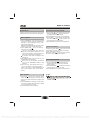
AUDIO CHANNEL CHOOSE
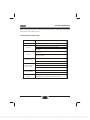
REPEAT
Follow this operation :
first
Chapter
twice
Title
third
All
the fourth pressed will cancel repeat.
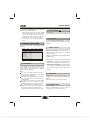
Press this button on remote control to change the
mode of audio.
For example: Audio 1/2: AC 3 2 CH English
Audio 2/2: AC 3 5.1 CH English
Note: When press this button continuously, you must
above 3 seconds interval.
A-B REPEAT
Press " A-B RPT " to begin start-point, press again
to set an end point and complete setting. The
selected section A-B will be repeated. The third
press will cancel this function.
AUDIO CD PLAYBACK
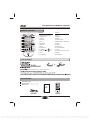
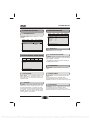
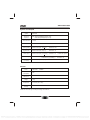
When playing Audio CD disc, a navigation menu will be displayed
00:00
00:00
001/010
automatically if the disc is loaded in succession.
In the menu, use UP or DOWN button in the cursors to select the
file, then press "ENTER/PLAY" to play this file. In this page, press
PREV or NEXT can go to the previous or next page.
Cd
TRACK01
Cd
TRACK02
Cd
TRACK03
Cd
TRACK04
Cd
TRACK05
Cd
TRACK06
JPEG DISC PLAYBACK
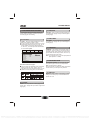
When playing JPEG disc, a navigation menu will be displayed automatically if the disc is loaded in succession.
In the menu, use UP or DOWN in the cursor to select a file, then press "ENTER/PLAY", the file will be play with
a slide - show. Press PREV or NEXT to select the previous or the next picture. Press PAUSE to pause the
current picture for enjoying, when press "ENTER/PLAY" , it will return to normal playing.
11
PDF compression, OCR, web optimization using a watermarked evaluation copy of CVISION PDFCompressor