1
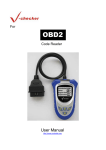
V-Checker Code Reader User Manual
4. The screen should display the menu for function
selection. Choose
"Erase DTC"
5. You can erase DTCs of your car.
6.4 Data Stream
The V-Checker OBD II Code Reader can read the data stream of the engine,
including engine speed, calculated load value, engine coolant temperature, throttle
open state, preignition angel etc,from this you can know the work status of you car
engine well.
Read the data stream from the engine as follows:
1. Turn the ignition off. Locate the 16Pin Data Link
Connector(OBD-Ⅱ DLC),and plug into the V-Checker
cable connector, wait for the screen display that is shown
“Press any key to start” diagnosis, turn the ignition on, then press any key to
continue.
NOTE: If the Code Reader is already connected and linked to the vehicle’s computer,
proceed directly to step 5. If not, continue to step 2.
2. Now, V-Checker will scan 4 types of OBD
communication protocol, please waiting
3. After scanning is finished, the screen will display the
menu for test mode selection, choose "professor
Mode", then press
.
Hongsheng Industrial (Hong Kong) Limited
15
Website: www.hongshenghk.com