1
Hark Technologies
Internet Serial Interface – September 2005
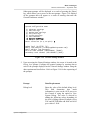
displayed default data by pressing the [Enter] key without entering any
data at the prompt.
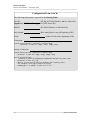
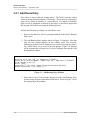
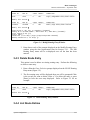
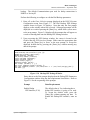
Enable Dialup PPP Interface (Y/N) [Y]:
Modem Device Name [/dev/ttyS5]:
Modem Baudrate [115200]:
ISP Dialup Number [5551234]:
Login Username [ms144121]:
Login Password [3abc4]:
Login Prompt [ogin:]:
Password Prompt [word:]:
PPP Prompt (normally ~) [~]:
PPP Start Command (normally blank) []:
PPP Chat Command [connect '/usr/sbin/chat -v -f /usr/local/etc/ppp_chat']:
Use DHCP [Y]:
IP Address [10.100.1.47]:
Netmask [255.255.255.0]:
Default Gateway []:
NameServer 1 []:
NameServer 2 []:
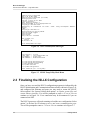
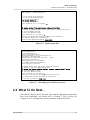
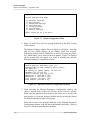
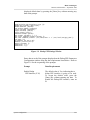
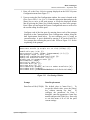
Figure 3-9 Dialup PPP Settings Window
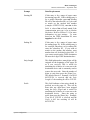
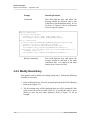
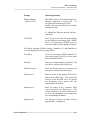
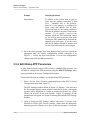
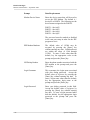
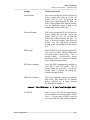
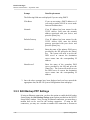
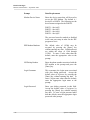
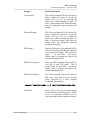
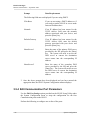
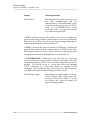
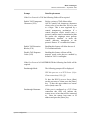
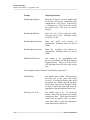
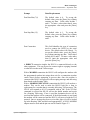
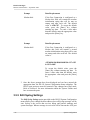
Enter data at each of the prompts displayed on the Dialup PPP Parameters
Configuration window using the data requirements listed below. Refer to
Figure 3-9 for the sequencing of the prompts.
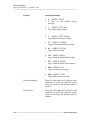
Prompt
Data Requirements
Enable Dialup
PPP Interface (Y/N)
The default value is Yes, indicating that a
dialup PPP interface is going to be used.
To accept the default value, press the
[Enter] key without entering any data. To
disable the Dialup PPP interface, enter an
N.
System Configuration
3-21