1
User’s Manual of High-Speed Dome Video Camera
⑷ Description of Zoom Control: User can “zoom-in” or “zoom-out” lens according to
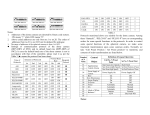
practical situation. Then symbol
displays on the screen.
⑸ Power indication of video camera: On
(6) Mode: Used to set parameters of video camera, such as shutter, iris, gain control,
brightness, etc. There are 9 modes selectable:
a.
Full-Auto:
Auto
iris
and
gain
control,
fixed
electronic
shutter
(FCB-IX48/480:1/60sec., FCB-IX48P/480P: 1/50sec.)
b.
Shutter Priority: Electronic shutter adjustable (F1.4 to Close, 18 steps), auto iris
and gain control
c.
Iris Priority: Iris adjustable (F1.4 to Close, 18 steps), auto gain control and shutter
d.
Gain Control Priority: Gain control adjustable (-3 dB to 18 dB, 18 steps), auto
iris and fixed shutter
e.
Manual Mode: Shutter, iris and gain control adjustable
f.
Brightness Control: Iris and gain control adjustable
(Closed to F1.6, 17 steps at 0
dB: F1.4, 7 steps form 0 to 18 dB)
g.
Auto Iris: Gain control and shutter adjustable
h.
Auto Shutter: Iris and gain control adjustable
i.
Auto Gain Control: Iris and shutter adjustable
j.
Zero Illumination (related with video camera): Use the function under the
situation that brightness of outside environment is very low. Under general
situation that video camera operates in auto status, when environment brightness is
less than 1Lux, then video camera will auto switch to zero illumination status and
11